

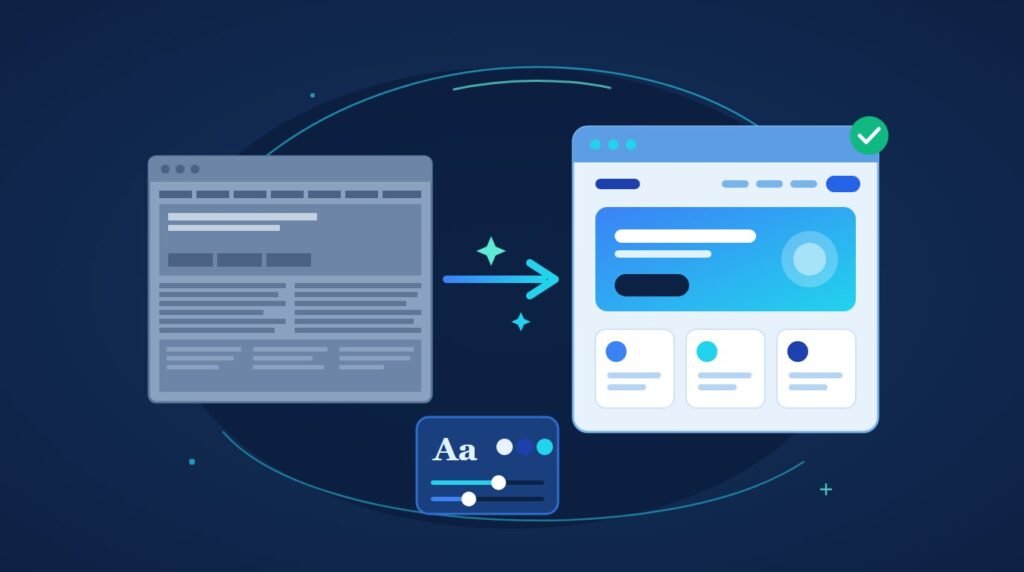
You can modernize a WordPress website without losing a single post, because WordPress keeps your content in the database and your design in the theme.
Change five global settings (typography, colour, spacing, header and footer, and button styles) and every page updates at once. Do it on a staging copy first, and the live site never breaks while you work.
Most people asking how to modernize a WordPress website have been told they need a rebuild and are hoping that is not true. Often it is not. The one honest exception is near the end.
Why you will not lose anything
This is the part that matters before any of the how.
WordPress separates what your site says from how it looks. Your pages, posts, images, menus and settings live in the database. Your fonts, colours, layouts and spacing live in the theme and in your page builder’s global settings. They are different layers, and you can replace the second without the first noticing.
| Content layer (stays) | Design layer (changes) |
|---|---|
| Pages and posts | Fonts |
| Images and media | Colours |
| Menus | Layouts and spacing |
| Settings and URLs | Header, footer and button styles |
That is the whole reason a facelift works. A redesign on most platforms means moving content into a new site. On WordPress it means changing the layer on top. Your URLs stay, your content stays, your search rankings stay, and the site looks new.
I explain this to almost every owner who asks about modernizing, because the fear of losing things is usually what has kept them from starting.
Five global changes that touch every page at once
Here is the order I work in when I modernize a WordPress website. Each of these is set once, in one place, and every page on the site inherits it.
| Change | Where it lives | What it does |
|---|---|---|
| Typography | Theme customizer, or your builder’s global fonts | Every heading and paragraph on the site. The single biggest “looks new” lever |
| Colour palette | Global colours | Every button, link and accent |
| Spacing | Global padding and section gaps | Old sites are cramped. Room reads as modern more than anything else |
| Header and footer | One template each | Every page carries them. A cluttered menu dates a site faster than any design choice |
| Buttons and corners | Global element styles | Small, and it is what people notice without knowing why |
1. Typography first
Replace whatever the site launched with. A clean sans-serif like Inter or Roboto for body text, one contrasting font for headings if you want one, and no more than two families in total. This change alone makes a five-year-old site look current, and it takes fifteen minutes.
2. Then colour
One dominant neutral, one structural colour for headers and footers, one accent for buttons and links. Three colours, set globally, applied everywhere.
3. Then spacing
Increase section padding and the gaps between elements. Sites built before 2020 pack content in. Letting it breathe is most of what “modern” means visually.
4. Then the header and footer
- Cut the main menu to five or six items and move the rest into dropdowns or the footer
- Make the header sticky
- Turn a footer full of text widgets into clean columns
5. Then buttons
Rounded corners, a hover state, consistent padding. Harsh rectangles date a site.
A site can look completely different after an afternoon in global settings, before you have opened a single page. That is the point of doing these first.
Then the page-level work
Global changes shift the whole site. Page-level changes cost per page, so they come second and they start where traffic lands.
The homepage hero. Replace the stock photo with a real one or a clean illustration, rewrite the headline to say what you do, and put one button under it. Old homepages have three.
Images site-wide. Swap dated stock photography for authentic images, and convert everything to WebP while you are at it. Our guide to optimising images in WordPress covers the conversion, and it changes how the whole site feels as well as how fast it loads.
One page at a time after that. Services pages, then about, then contact. Restructure the sections, not the content. If you use a builder, template kits let you swap a section’s layout while keeping its text, which our page on WordPress page builder services covers.
Stop when the important pages are done. A blog post from 2019 does not need a facelift.
Do it on staging
Every forum thread on this topic asks the same question, and it is not about design. It is “how do I do this without breaking the live site?”
Staging. Always. A staging site is a copy of your site that only you can see, and you make every change there first. Global style changes in particular need testing on staging, precisely because they touch every page at once and one wrong font size cascades through the whole site. Our guide to setting up a WordPress staging site covers it, and most decent hosts include one.
When the staging site looks right, push it live. The live site was untouched the entire time.
Speed is a design signal
Half of “looks outdated” is “loads slowly,” and no amount of typography fixes that.
A three-second load feels like 2015 regardless of how modern the fonts are. Visitors do not separate design from performance. They experience the site as one thing, and a slow one feels old. So the speed cluster is part of a modernization: our guides to fixing a slow WordPress site and Core Web Vitals cover where the weight usually sits.
While you are in there, audit the plugins. Old sites accumulate them. Our WordPress site audit guide covers what to check, and deactivating six plugins nobody uses is often the biggest single speed gain available.
When a facelift is not enough
Here is the honest limit, and it matters because a facelift on the wrong foundation is a modern-looking liability.
The theme is abandoned. No updates in over a year, or the developer has gone. New fonts on an unpatched theme does not fix the security problem underneath. Switching to a maintained lightweight theme such as Astra, GeneratePress or Hello Elementor keeps your content and gives the facelift a foundation that gets patched.
The page builder is dead or being left. WPBakery bundled with a 2017 theme, Visual Composer, or an Elementor site that has hit the performance wall. Global styles cannot fix a builder that cannot be maintained. Our guide to moving away from Elementor covers when that decision is warranted.
The structure is wrong. Services buried three clicks deep, no service pages at all, a blog with no categories. That is architecture, and no typography fixes it.
Mobile was never designed for. A site that “works on mobile” by shrinking the desktop layout needs its layouts rebuilt, not restyled.
If one of those applies, the question changes from how to modernize to whether to rebuild, and our guide to WordPress redesign or fix is where that decision gets made properly. If you do rebuild, redesigning without losing SEO covers keeping your rankings through it.
Can AI do this instead?
AI redesign tools exist now, and the question comes up constantly. The honest answer is that they do a different job.
Tools like Repaint or GoDaddy’s Airo read your existing content and generate a new site with a new design. That is a rebuild with the labour removed, not a facelift. Two consequences follow:
- The output is often a React or JavaScript application, which has the rendering problem our guide to AI-generated designs and WordPress explains
- Your URL structure may not survive the regeneration, which is the SEO risk of any rebuild
For modernizing in place, AI tools are the wrong shape. For the cases in the section above where a rebuild is the right answer, they are one way to do it faster.
Key takeaways
To modernize a WordPress website without rebuilding it, start with the five global settings that touch every page: typography, colours, spacing, header and footer, and button styles. Set them once and the whole site inherits them. That is an afternoon of work and most of the visual change.
Do it on staging, because global changes cascade and you want to see the result before customers do. Then work page by page starting from the homepage, and treat speed as part of the design, because a slow site feels old whatever it looks like.
And know the limit. An abandoned theme, a dead builder, a broken structure or a site never built for mobile needs a rebuild rather than a refresh, and the honest move is to say so rather than restyle the problem.
Frequently asked questions
How do I update an existing WordPress website without losing content?
Change the design layer and leave the content layer alone. WordPress stores posts, pages and media in the database and stores design in the theme and builder settings. Updating global typography, colours, spacing and templates changes every page’s appearance without touching what those pages say. Do it on a staging copy first.
How can I redesign my website without losing SEO?
Keep the URLs, keep the content, and keep the page titles. A facelift that only changes the design layer does all three automatically, which is why it is the safer route. Only a full rebuild needs a redirect map and more care, and our guide to redesigning without losing SEO covers that case.
How often should a website be redesigned?
Every two to three years for a visual refresh, and most of that is global style changes. Rebuilding is only warranted when the foundation fails: an abandoned theme, a dead page builder, a wrong structure, or a site never built for mobile. Age alone is not a reason.
Can AI redesign my existing website?
AI tools can regenerate it, which is a different thing. They read your content and produce a new site with a new design, and the result is often a JavaScript application with different URLs. That is a rebuild rather than a modernization. For updating a site in place, global style changes in your theme or builder are the right tool.
Is WordPress outdated in 2026?
No. It runs around 43% of the web and the block editor, modern themes and builders are current. When a WordPress site looks outdated, it is the theme and the styling that aged, not the platform, and both are replaceable without leaving it.
Want someone to do the global pass?
The five global changes take an afternoon if you know where each setting lives, and considerably longer if you are finding them for the first time.
Survyc is an AI-first digital agency, and we modernize WordPress sites in place for businesses and agencies: the global style pass, the page-level work on the pages that matter, and the honest assessment first of whether a facelift is the right call for your site. Send the URL and we will tell you which it is before anyone talks about money. Agencies can hand the whole job to us under their own brand through our white label WordPress redevelopment service.
Our guide to what a WordPress repair costs covers pricing. Get in touch or email info@survyc.com.
