

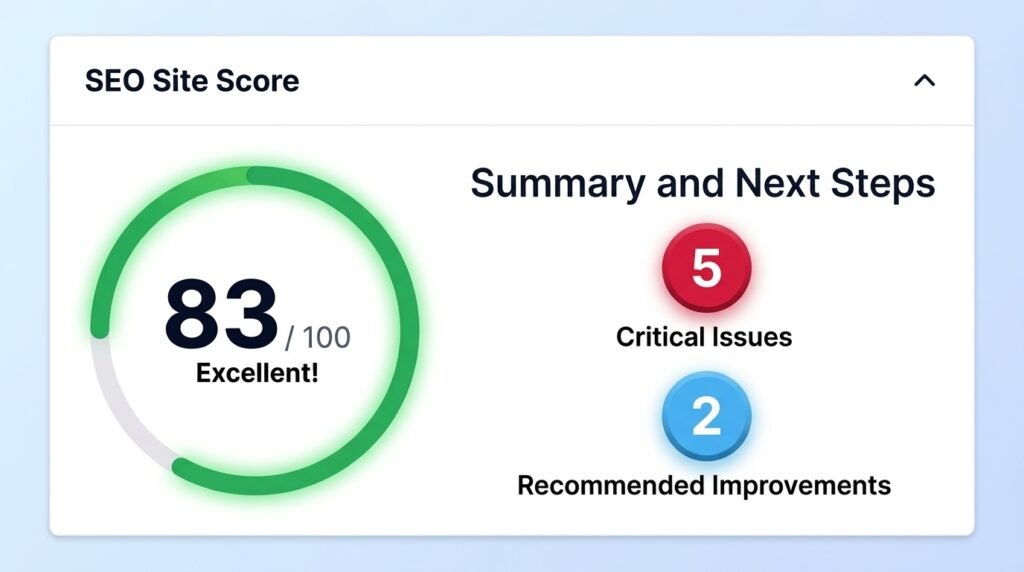
Sort what you find by what it costs you, not by which category it belongs to. Check whether anything is losing you money today, then whether anything is about to break, then whether people can find you. Everything else comes fourth, and most of it can wait longer than any checklist will admit.
I get sent audit reports fairly often. Someone has run a tool, received a wall of red, and wants to know which parts are real. That is the actual problem, and no checklist solves it.
Why most WordPress audit checklists waste your time
Nearly every audit guide is organised by area. Performance, security, SEO, accessibility, content. Work through each section, tick the boxes, feel productive.
The structure is the problem. A broken contact form and a missing alt tag sit in different sections of that list, look equally like items to complete, and are nothing alike. One is losing you enquiries this afternoon. The other is worth an hour this quarter.
So I organise a WordPress site audit by consequence. Four tiers, worked in order. With half an hour, every minute goes on tier one.
Tier 1: what is costing you money today
Five checks, and none of them needs a tool. I do these first on every site I am handed, and this is where I find real faults more often than anywhere else.
Submit every form yourself. An actual submission, then check the inbox it should reach. Forms failing silently is the most expensive fault I see, because the page looks like it works and nobody finds out for weeks. WordPress uses PHP mail by default and many hosts block it, which the guide to emails not sending covers.
Complete a test purchase if you sell anything. All the way through payment. A checkout that fails at the last step produces no error anyone sees and no order anyone counts.
Load the site on your phone, on mobile data. Not office wifi, and not a resized browser window. Most traffic arrives this way and so do most of the faults I find.
Click through your five most important pages. The ones people actually land on. Look for missing images, broken layouts, and links that go nowhere.
Check for visible errors. Any page throwing a 500 error, a white screen, or anything else from the list of common WordPress errors belongs in this tier, not in a backlog.
If you find something here, stop auditing and fix it. The rest of this can wait a day.
Tier 2: what is about to break
Nothing is wrong yet. Something will be.
Open Tools, then Site Health. It reports an unsupported PHP version, missing updates, and an autoloaded options figure that gets ignored until an admin screen takes eight seconds to load. The guide to a slow WordPress admin covers that last one.
Confirm you have a backup that actually restores. Having backups and having recovery are different claims. I have watched businesses learn the difference at the worst moment, which is why a failed restore is its own problem and why the backup guide puts testing ahead of scheduling.
Check your premium licences. An expired theme or plugin licence stops updates silently. Nothing breaks on the day it expires. Things break three months later when a security patch never arrives.
Look for signs of a compromise. Unfamiliar admin accounts, posts you did not publish, redirects you did not add. The guide to signs your site is hacked covers the checks, and securing a WordPress site covers the hardening.
Count your active plugins. Not to hit a number, but to notice. Twenty-eight active plugins is common and usually means six are load-bearing and the rest are archaeology.
Tier 3: can anyone find you?
Two tools, ten minutes, and this is where I find the quiet problems.
Search site:yourdomain.com in Google. The result count tells you roughly how many pages are indexed. Forty pages on your site and six in Google means something is stopping it, which page indexing issues covers. Read the titles while you are there, because that is what searchers see before deciding to click.
Open Search Console, then the Pages report. It lists what is indexed and what is not, with reasons. Sort indexed pages by clicks and inspect the top few, which also shows you how recently they were crawled.
Ask an AI what it says about your business. Type a customer’s question into ChatGPT or Perplexity and see if you are named. This appears in no analytics dashboard, and it is increasingly where buying research starts. The guide to what AI visibility is covers measuring it properly.
Tier 4: everything else, and when to bother
Image alt text, heading hierarchy, minification, unused CSS, modern image formats. All real. All worth doing.
None of it before tiers one to three are clear. I do plenty of this work and I am not dismissing it, but I have watched someone spend a weekend converting images to WebP on a site whose contact form had been broken since March. The order matters more than the effort.
When you get here, optimising images usually returns most, because it touches speed, storage and Core Web Vitals at once.
The five free tools, and what each one answers
Everything above is covered by these. I have not found a paid tool that replaces any of them for a normal business site.
| Tool | What it answers |
| Site Health (Tools, Site Health) | Is anything broken or unsupported inside WordPress? |
| Google Search Console | Is Google indexing my pages, and what errors does it see? |
| PageSpeed Insights | How fast is this page, in the lab and for real visitors? |
| Query Monitor | Which plugin or query is making a specific page slow? |
| site:yourdomain.com | How many of my pages are actually in Google? |
Install Query Monitor only while you need it. It is a diagnostic tool and there is no reason to leave it running on a live site.
Reading the scores correctly
This is the part I end up explaining most, so it is worth saying plainly.
A mobile score in the 40s or 50s is normal for a WordPress site with real images and a page builder. It does not mean your site is broken. Chasing it into the 90s can cost more than it returns, and on a brochure site it often returns nothing.
Lab scores and real-user data are different measurements. PageSpeed Insights shows both and people read only the big number, which is a single simulated run. Google’s assessment uses field data from actual visitors, and the guide to Core Web Vitals explains why a site can feel fast and still fail.
SEO plugin scores are not ranking signals. A green light in Yoast or RankMath means you satisfied that plugin’s rules. Those rules are reasonable and they are not Google.
Site Health mixes urgent and cosmetic items in one flat list. An unsupported PHP version and a missing optional module appear in the same section with the same styling.
The rule I apply to all of it: a score tells you where to look, not what to fix. A finding earns your attention when you can say out loud what it is costing you. If you cannot finish that sentence, it belongs in tier four.
What a self-audit cannot catch
Worth being straight about, because the limits are real.
Cause or symptom. A slow page and a high server response time are frequently the same fault reported twice. A checklist gives you two items and no way to tell.
Whether a plugin is any good. No free tool tells you a plugin is badly built. It only tells you the plugin is loading.
Which plugins you can actually remove. This takes someone opening the site and tracing what each one does. I have never found a tool that answers it.
Security below the surface. Scanners check public pages. They do not read your files, and a compromise that only touches server-side code will pass every free scan.
What competitors are doing that you are not. That is where most of the commercial answer sits, and none of these tools look at it.
A self-audit reliably finds what is wrong. It rarely explains why, and on a site with more than a handful of issues, it almost never tells you what to do first.
Key takeaways
Run a WordPress site audit by consequence rather than by category. The first tier is what is losing money today, and it is all manual: submit the forms, complete a test purchase, load the site on a phone, click your top five pages.
After that comes what is about to break, which Site Health covers alongside a backup you have actually tested and licences that have not quietly expired. Then your findability, through a site: search, Search Console and an AI query. Everything checklists lead with sits last.
Treat every score as a signal rather than a verdict. A mobile score in the 40s is normal, lab data is not field data, and an SEO plugin’s green light measures compliance with its own rules.
Frequently asked questions
How often should I audit my WordPress site?
Run the tier one checks monthly, since forms and checkouts break quietly and you want to find that before a customer does. Tier two suits a quarterly review. Tiers three and four are worth a proper session twice a year, or after any redesign or migration.
What free tools do I need for a WordPress audit?
Five cover almost everything: Site Health inside WordPress, Google Search Console, PageSpeed Insights, Query Monitor for diagnosing a specific slow page, and a site:yourdomain.com search. I have not found a paid tool that replaces any of them for a normal business site.
Is a low PageSpeed score actually a problem?
Not on its own. Mobile scores in the 40s and 50s are common for WordPress sites with real images. What matters is the field data from actual visitors, shown separately on the same screen, and whether the site feels slow to people using it. Chase the field data, not the lab number.
What should I fix first after an audit?
Anything a customer hits today. A broken form, a failing checkout, a page that errors, a layout that collapses on mobile. Those cost money while you read this. Everything else, including most of what checklist flags, can wait until they are clear.
Can I audit a site that is already broken?
Not usefully. A site that is down or throwing errors needs triage rather than an audit, and our emergency downtime guide is the right starting point. Audit once it is stable.
Want someone else to look at it?
Running the checks is the easy half. Deciding what to fix first, and telling causes from symptoms, is the part that takes having seen a few hundred sites. Survyc is an AI-first digital agency, and we audit WordPress sites for businesses and agencies, then say plainly what is worth fixing and what is not. For agencies taking on a site they did not build, the audit is part of our white label website takeover. You get a written summary before anyone talks about money, and our guide to what a WordPress repair costs covers pricing afterwards. To have these checks run on a schedule instead, that is what our WordPress care plans do. Send us the URL or email info@survyc.com.
