

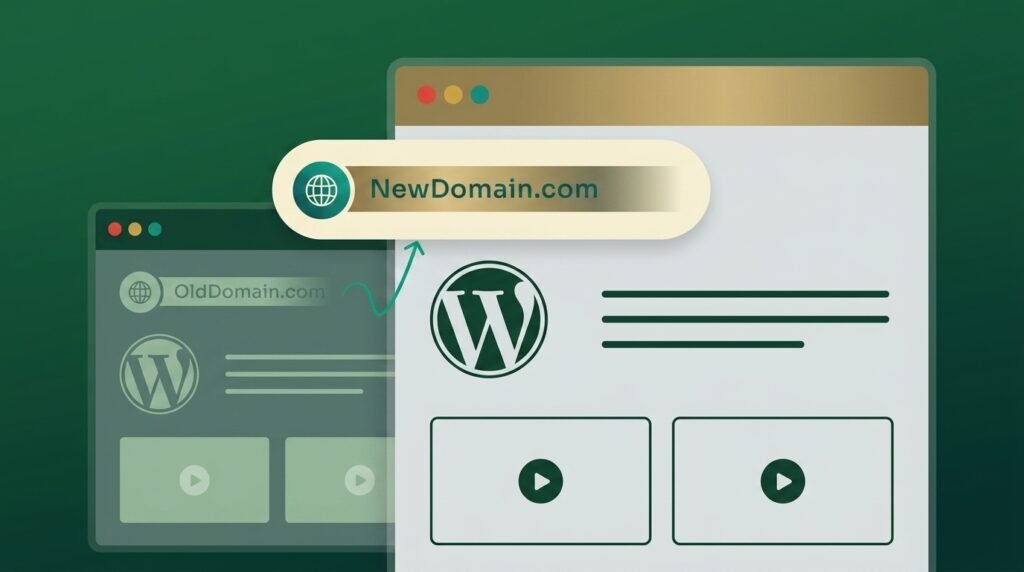
To change your WordPress domain name without losing rankings: check the new domain’s history, back up, map every old URL to its closest new URL, update WordPress with a serialisation-aware search-replace, put 301 redirects in place, and submit a Change of Address in Search Console for every variant of the old domain.
Then expect a dip. That part gets left out of most guides, and it is the part that matters at week three when traffic is down and you are trying to work out if something broke.
A domain change is a manageable operation. It is not a free one.
First: is it the domain you are changing?
Four different moves get called a migration, and they carry different risks. This guide covers changing the domain name itself, with everything else staying the same.
If you are changing something else, these will serve you better:
- Changing host, same domain: migrating WordPress without downtime
- Changing design or structure, same domain: redesigning without losing SEO
- Moving posts between sites: moving WordPress posts without losing SEO
- Changing platform: our guide to Webflow to WordPress redirects covers that pattern
Which brings up the single most useful rule in this article.
Change one thing at a time
If you are also redesigning, also switching host, or also restructuring URLs, do those separately with gaps between them.
The reason is diagnostic rather than technical. When traffic drops after a move that changed four things at once, nothing tells you which change caused it, so nothing tells you what to fix. Migration analyses consistently name the compound move as a cause of severe, prolonged loss.
Move the domain first with everything else untouched. Let it settle for a few weeks. Then redesign. Every variable you isolate is a variable you can diagnose later.
Check the new domain’s history before you point anything at it
Guides start at “you have bought your domain.” That skips a check worth ten minutes.
A domain with a spam or penalty history does not arrive neutral. You inherit whatever it was, and a migration onto a damaged domain can stall for reasons the owner never identifies.
Before you commit:
- Look the domain up in the Wayback Machine and see what it used to be
- Search site:newdomain.com to see whether anything is still indexed
- Add it to Search Console and check the Manual Actions report
- Look at its backlink profile if you have a tool that will show you
A brand-new registration is usually clean. An expired domain someone else used for years is a question mark until you answer it.
The move, step by step
Nine steps, in this order. The order matters more than any individual step.
- Take a full backup, files and database, and confirm you can restore it. Our WordPress backup guide covers doing that properly.
- Export every URL from the old site before anything changes. Google’s own guidance suggests pulling these from your sitemaps, your analytics or server logs, the Links report in Search Console, and your CMS.
- Point the new domain at the site and confirm SSL works on it before you switch anything over.
- Update WordPress Address and Site Address under Settings, General. If that locks you out, set them in wp-config.php instead.
- Run a serialisation-aware search-replace across the database. See the warning below, because this is where WordPress migrations break.
- Map and implement the 301 redirects, old URL to closest matching new URL.
- Update internal links so they point at the new URLs directly rather than travelling through a redirect.
- Regenerate and submit the new sitemap in Search Console.
- Submit the Change of Address, covered in its own section below because Google’s requirements changed recently.
Test the whole thing on a staging copy first if the site earns money. A domain change is one of the few operations where a rehearsal pays for itself.
The WordPress trap: serialised data
This is the step that produces a site which loads perfectly and looks wrong, and it is specific to WordPress.
WordPress stores widget settings, theme options and plugin configuration as serialised PHP arrays. Those arrays record the length of every string they contain. A plain find-and-replace changes olddomain.com to newdomain.com without updating the recorded length, which corrupts the data.
The symptoms are widgets that vanish, theme options that reset, and page-builder layouts that come back scrambled. Owners usually misdiagnose it as a theme problem and spend a day in the wrong place.
Use a tool that understands serialisation. WP-CLI’s wp search-replace handles it, and the established search-replace plugins do too. What does not work: a raw SQL UPDATE, or opening an exported .sql file in a text editor and replacing text there.
If something does go wrong at this stage, the symptoms often present as common WordPress errors rather than as anything obviously migration-related.
The three mistakes that cause real damage
Everything above is procedure. These three are where measurable traffic gets lost.
Redirecting everything to the homepage. Reported losses run from 50% to 90% of migration-affected traffic. Recovery takes three to six months once proper redirects go in retroactively, and some long-tail rankings never return. Map page to page. Google does allow a wildcard redirect for a straight domain swap, but that preserves the path rather than sending everything to the front page.
Forgetting everything that is not an HTML page. One documented case describes a 63% overnight drop caused by redirecting pages while missing images, PDFs, downloadable files and videos. Eleven days to fix the redirects, four months to recover the traffic. A whitepaper PDF with forty backlinks is an asset. Crawl the old site and redirect all of it.
Leaving canonicals pointing at the old domain. Cited repeatedly as a cause of post-migration collapse, and easy to miss because nothing looks broken. After the search-replace, open several pages, view source, and confirm the canonical tag shows the new domain.
Submitting the Change of Address
Both domains need verified properties in Search Console. Select the old domain, open Settings, then Change of Address, choose the new domain, and validate.
Two current details worth knowing, because most guides predate them.
Google now wants every variant. A documentation update in June 2026 asks you to use the Change of Address tool for all subdomain variants of the old domain, www and non-www included. Google treats those as distinct entities. A redirect on one does not imply the move for the other.
The tool does not apply to every move. Per Google’s own documentation, skip it for HTTP to HTTPS moves, for moving pages within the same site, and for switching between www and non-www on the same domain. Use it when the domain genuinely changes, including moving to a path within a different domain.
The tool validates redirects on your top few URLs before it accepts the request, so have the redirects live before you submit.
How long to keep the redirects
Google’s guidance is at least 180 days, and longer while you still see traffic arriving through them.
That is worth stating plainly, because most WordPress guides say twelve months. Twelve is not wrong as a safety margin, and 180 days is the documented floor. The practical answer: keep them for at least a year and keep the old domain registered. Only consider removing redirects once Search Console shows nothing arriving on the old URLs.
Google also notes a change of address request can take up to 180 days to process fully. That is the mechanism behind the recovery curve in the next section.
What actually happens afterwards
Here is the shape of a clean domain move, and the line between a normal dip and a real problem.
| Period | What normal looks like |
| Days 1 to 7 | Old URLs drop out of the index faster than new ones enter. The dip starts |
| Weeks 2 to 4 | The trough. The lowest point on a clean move, and where most owners panic |
| Weeks 4 to 8 | Partial recovery begins on a well-executed domain change |
| Months 2 to 6 | Stabilisation for most clean moves |
Normal dip or real problem?
The honest numbers, since the reassuring version helps nobody in week three.
A 10% to 30% dip lasting two to six weeks is expected. A drop of 50% or more, or a dip still deepening past six to eight weeks, means something is wrong rather than something is settling. Search Engine Journal describes the second pattern as a migration hangover that can persist 12 to 18 months.
One agency study of domain migrations found only 27% recovered within 90 days. The majority recovered inside the first year, and 15% took more than two years. Domain changes also run longer than same-domain URL restructures, with reported minimums of four to eight weeks even on a clean move. Google is establishing trust signals for a new domain as well as processing the mapping.
Google’s own published expectation is that a small to medium site takes roughly two to four weeks for the bulk of its pages to move, with larger sites taking longer.
If it looks broken, check four things: redirect chains and 404s in Search Console, canonicals, whether old URLs are still being crawled, and whether the submitted sitemap actually lists the new URLs. Our guide to fixing page indexing issues covers the indexing side.
What else needs updating
The site is only part of the move. These get forgotten and quietly cost traffic.
- Social profiles, directory listings, and your Google Business Profile
- Email signatures and any email sending domain configuration
- Analytics property settings and any conversion tracking
- Ad accounts, which sometimes require re-verification on a new domain
- Affiliate programmes and ad networks, which may require re-approval
- Key partners and publications carrying your best backlinks, who can update the link
That last one has the highest return. A handful of updated backlinks from strong sources does more than any technical step after the redirects are in.
Key takeaways
Changing your WordPress domain name is well understood and genuinely risky at the same time. The procedure is not complicated: check the new domain’s history, back up, map every URL, use a serialisation-aware search-replace, redirect page to page, and submit a Change of Address for every variant of the old domain.
Keep the redirects for at least 180 days, and realistically for a year. Keep the old domain registered.
Then set expectations honestly. A 10% to 30% dip for two to six weeks is normal. Fifty percent or more, or a dip still deepening after two months, is a signal to audit rather than wait. And do not change the design, the host and the domain in the same week. When something goes wrong, you will have no way to tell which one did it.
Frequently asked questions
Will changing my domain name hurt my SEO?
Temporarily, yes, and that is normal. Expect a 10% to 30% dip for two to six weeks on a well-executed move. A permanent loss usually traces to one specific mistake: redirecting everything to the homepage, missing non-HTML files, or canonicals still pointing at the old domain.
How long does it take to recover after a domain change?
Google says a small to medium site takes roughly two to four weeks for most pages to move, and larger sites take longer. In practice, partial recovery on a clean domain change starts around weeks four to eight, with stabilisation over two to six months. One study found only 27% of migrations recovered within 90 days.
How long should I keep 301 redirects after moving domains?
Google’s guidance is at least 180 days, and longer while traffic still arrives through them. Most practitioners keep them for a year or more, and keeping the old domain registered indefinitely costs very little. Only remove redirects once Search Console shows no traffic reaching the old URLs.
Do I need to use the Change of Address tool?
Use it when the domain itself changes, including a move to a path on another domain. Skip it for HTTP to HTTPS moves, for moving pages within the same site, and for www to non-www changes on the same domain. As of June 2026, Google asks you to submit it for every subdomain variant of the old domain.
Why did my widgets and theme settings break after the move?
Almost certainly a search-replace that was not serialisation-aware. WordPress stores widget and theme settings as serialised arrays that record string lengths, so a plain find-and-replace corrupts them. Restore your backup and redo the replacement with WP-CLI or a proper search-replace plugin.
Can I change my domain and redesign at the same time?
You can, and it makes diagnosis much harder. If traffic falls afterwards, nothing tells you which change caused it. Move the domain first with the design unchanged, give it a few weeks to settle, then redesign. Separating the two costs a little time and saves a great deal of guesswork.
Planning a domain move you cannot afford to get wrong?
A domain change is one of those jobs where preparation decides the outcome and there is no second attempt. If the site carries revenue and the redirect map has to be right first time, that is work worth handing over. Survyc is an AI-first digital agency that plans and executes WordPress domain migrations for agencies and businesses. That covers the URL mapping, the redirects, and the monitoring afterwards, so a normal dip does not get mistaken for a disaster. If you would rather someone watched it for the first three months, our WordPress care plans cover that. Tell us about the move or email info@survyc.com.
