

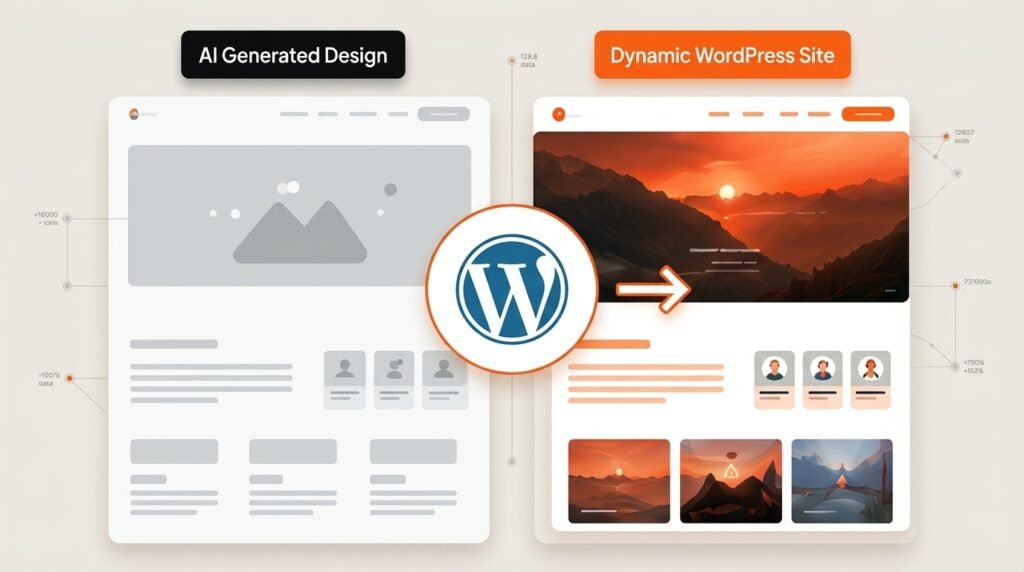
Taking an AI-generated design to WordPress works when you keep the design and rebuild the code. The export is a high-fidelity reference, not a codebase. Content, navigation and forms all have to become real WordPress elements, or nobody will be able to edit the site afterwards without a developer.
Something changed in the market this year. Agencies are now generating full site designs with tools like Claude Design, v0 and Lovable, then hiring developers specifically to turn that output into functioning WordPress sites. One agency we came across is doing exactly this at scale, as a new service line.
The design half got fast. The WordPress half did not.
This guide covers what actually survives the conversion, the one question that decides your whole approach, and why the cheapest route usually costs the most.
What happens when you paste AI HTML into WordPress?
The page looks broken and nothing is editable. That is the normal outcome, and it is not a mistake on your part.
The reason is architectural. AI tools produce static front-end code: HTML, CSS, JavaScript, often a React app. WordPress is a dynamic system that assembles pages from PHP templates and a database. Those are two different things that happen to both end up as a web page.
So when you drop the export in, three things go wrong at once. Your theme’s styles fight the exported CSS. Responsive breakpoints stop behaving. And every headline, price and paragraph sits hardcoded in the markup, which means changing one word requires opening a file.
That last one is the real problem, and it is the one people notice a month later rather than on day one.
What survives the conversion and what does not?
Design survives. Logic does not. Sorting your export into those two piles before you start saves most of the wasted effort.
| From the AI export | Survives? | What happens to it |
| Layout and visual design | Yes | Becomes your reference for the rebuild |
| CSS and design tokens | Mostly | Colours, spacing and typography carry over cleanly |
| Copy and images | Yes, as content | Moves into the database, not the markup |
| Static HTML structure | Partly | Becomes PHP templates or block markup |
| React runtime and components | No | WordPress renders server-side instead |
| Hardcoded navigation | No | Rebuilt as a real WordPress menu |
| Contact and signup forms | No | Rebuilt with a form handler and spam protection |
| Logins or user accounts | No | Become WordPress users and roles |
| Backend or database logic | No | Moves into WordPress or a proper API |
The mental shift that makes this easy: you keep the design, not the code. Treat the export the way you would treat a Figma file. It tells you what the site should look like. It does not tell you how WordPress should build it.
That framing also explains why conversion quotes vary so much. Rebuilding a static marketing page from a design reference is straightforward. Rebuilding an app prototype that used an external auth service is a different project entirely, and that is the part every automated converter quietly skips.
The one question that decides your whole approach
Ask this before anything else: who edits this site next month?
If the answer is a developer, you have options. A cleanly built custom theme is fine, and hardcoded sections are survivable because someone technical is already in the file.
If the answer is a client, a marketing team, or you, then editability is not a nice-to-have. It is the requirement, and it rules out most fast routes immediately. Every headline needs to be a field. Every section needs to be a block or a widget. The menu needs to live in the WordPress menu system.
This is the same question that decides whether moving away from Elementor makes sense, and it is the question most conversion projects get wrong. Teams optimise for how quickly the site goes live, then discover that updating a phone number needs a developer and a deployment.
What do the automatic converters actually do?
They convert what maps cleanly and hide the rest. Understanding this pattern matters, because the output looks finished until you try to edit it.
A documented case shows the mechanics well. An AI-built site was run through a conversion service. The sections that matched standard page builder widgets came through as editable widgets, which worked. Everything else, meaning the custom components and unusual layouts that made the design interesting, got dumped into a custom plugin generated for that one site. That plugin held the original AI-generated HTML plus a pile of embedded CSS overrides.
The consequences stacked up quickly. Those sections were invisible to the page builder, so nobody could click and edit them. Changing a single word meant opening plugin files over FTP. And the embedded CSS started fighting the theme’s styles, so the design drifted over the following weeks.
None of that is visible on launch day. It surfaces the first time someone needs a small change.
So converters are genuinely useful in one situation: simple, static, mostly standard layouts where you accept that anything unusual will need rework. They are a poor fit for the exact designs people generate AI tools to create, which are rarely standard. There is a growing set of conversion tooling if you want to test this yourself, and testing it on one page before committing an entire site is the sensible move.
Which route should you take?
Three routes exist for getting an AI-generated design to WordPress. The right one depends on the site, not on a preference.
Run it through a converter when the design is simple and standard, budget is tight, and the site is a small brochure that rarely changes. Test one page first and check whether every section is editable in the builder afterwards.
Rebuild it natively when a non-technical person will maintain the site, the design has custom components, or the project involves forms, accounts, ecommerce, or anything with logic behind it. This costs more up front and removes the ongoing developer tax.
Do a hybrid when the design is mostly standard with two or three signature sections. Convert the standard parts, hand-build the signature ones as proper blocks or widgets. This is the practical answer for a lot of marketing sites.
One consistent trap worth naming: the cheapest route usually costs the most. A conversion that leaves half the page locked inside a plugin turns every future edit into a developer ticket. Over a year, that exceeds the difference between the two quotes. Our guide to what it costs to fix a WordPress website covers the same pattern from the repair side.
Why this matters for search and AI visibility
Server-rendered WordPress sends complete HTML on the first request. A client-side React app sends a mostly empty shell and fills it in afterwards.
That difference matters more in 2026 than it did a few years ago. Search engines handle JavaScript rendering reasonably well, though not perfectly. AI answer engines are less forgiving, and being quotable depends on your content existing in the HTML they fetch. If nobody can read your pricing without executing your JavaScript, your pricing does not get cited.
Rebuilding properly on WordPress fixes this by default, because the content lives in the database and renders on the server. That is one of the quieter arguments for the native rebuild over a wrapped export, and it connects directly to how AI visibility works.
The related point: keep your heading structure during the rebuild. AI exports are often visually correct and semantically messy, with styled divs where headings should be. Fixing that during conversion is nearly free. Fixing it later means auditing every page, and it is a common reason converted sites underperform in indexing and rankings.
How to take an AI-generated design to WordPress, step by step
The process is not complicated. It is just disciplined, and it runs the same way every time.
- Audit the export and separate design from logic. Screenshots, layout, spacing and CSS are keepers. The runtime and the hardcoded content are not.
- Set up a clean theme on a staging site. Nothing touches production until it works.
- Rebuild the markup as real templates. Header, footer, page templates, archive templates.
- Turn content into content. Headlines, copy, images and prices become fields, blocks or custom post types, so the dashboard can edit them.
- Rebuild the interactive pieces natively. Forms get a real handler and spam protection. Accounts become WordPress users. Data becomes post types or a proper API.
- Port the design tokens, not the stylesheet. Colours, typography and spacing scale go into the theme so the whole site stays consistent.
- Check headings, performance and mobile before launch, then move it across.
Developers can also point AI tooling at the WordPress side of this work, not just the design side. One Automattic developer documented building a complete block theme through Claude with MCP tools connected to a local WordPress install. The design is not the only half AI can accelerate. It is just the half everyone started with.
Key takeaways
An AI export is a design artifact, not a website. Keep the design and rebuild the code, because the content has to live in WordPress rather than in the markup if anyone is going to edit it later.
Ask who maintains the site before choosing a route. A developer-maintained site tolerates shortcuts. A client-maintained site does not, and that single answer usually decides between a converter and a native rebuild.
Automatic converters handle standard layouts and hide the rest, often inside a generated plugin that the page builder cannot see. Test one page before committing a whole site. And rebuild forms, logins and backend logic properly, since no converter carries those across.
Frequently asked questions
Can I just upload my AI-generated HTML to WordPress?
You can, but the result is a static page that fights your theme’s styles and cannot be edited from the dashboard. AI tools output front-end code while WordPress builds pages from templates and a database. The content has to move into WordPress properly before anyone can maintain it.
Will an automatic converter work for my AI-generated site?
For simple, standard layouts, often yes. Custom components and unusual sections tend to get placed into generated code that your page builder cannot edit, which means future changes need a developer and FTP access. Test one page and confirm every section is editable before converting the whole site.
Can a client edit an AI-built site after conversion?
Only if it was rebuilt properly. Most exports and automatic conversions hardcode content into the markup, so nothing is editable without touching files. A native rebuild turns headlines, images and prices into blocks or fields, which lets the owner update the site from the dashboard.
What does not survive when converting an AI design to WordPress?
The React runtime, hardcoded navigation, forms, user logins and any backend or database logic. Layout, CSS and design tokens carry over well. Anything with logic behind it gets rebuilt using WordPress equivalents, and that is the part automatic converters skip entirely.
Is a rebuilt WordPress site better for SEO than the original AI export?
Usually yes. WordPress renders complete HTML on the server, while many AI exports ship a JavaScript app that builds the page in the browser. Search engines handle that imperfectly and AI answer engines less well. Keeping clean heading structure during the rebuild matters just as much.
Send us the export
If you have a Claude Design, v0 or Lovable build sitting in a folder and no clean path into WordPress, that is the work we do. Survyc is an AI-first digital agency, and we rebuild AI-generated designs into editable WordPress sites, white label for agencies and directly for businesses. You get a scoped quote after we look at the export, not before. Send us what you have or email info@survyc.com, and if you want the build handled under your own brand, that is how our white label WordPress development already works.
