

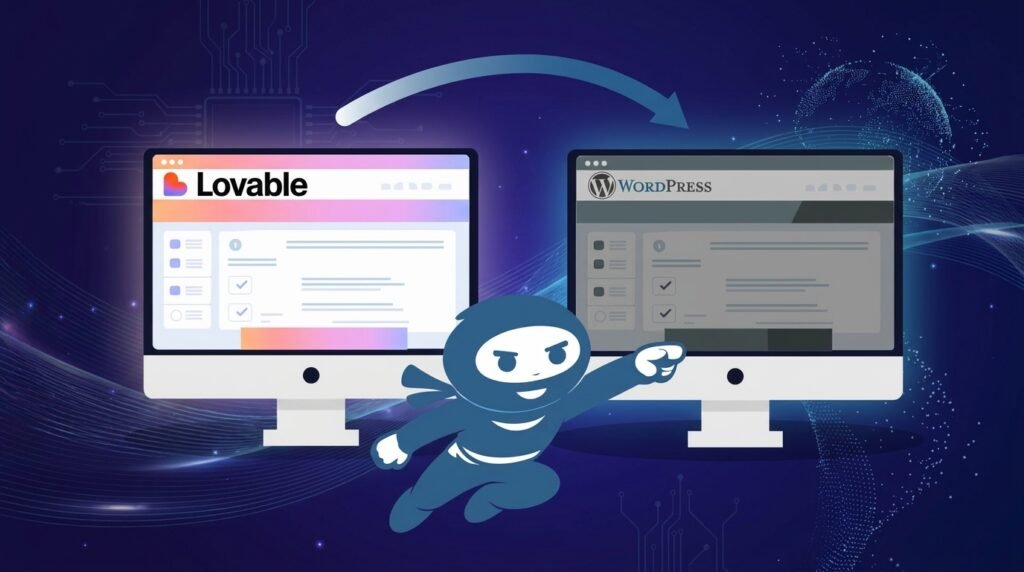
You can convert Lovable to WordPress in about an hour with a conversion tool, and what you get is the design: layout, typography, colours and responsive CSS packaged as a theme. Everything dynamic stays behind. Logins, databases, forms that actually send, anything with an API. Those get rebuilt in WordPress afterwards, and the route you choose should depend on why you are converting at all.
Lovable, or Lovable.dev as the product is also written, is good at what it does. You picked a fast AI builder for the first version, which was sensible, and now the requirements have changed. That is a normal thing to happen and not a mistake to fix.
First: why are you converting?
The answer changes the method, and conversion tools never ask because every answer leads to the same product.
| Why you are converting | What it actually needs |
| The site is not ranking | A page search engines can read. The most common reason and the next section covers it |
| A client needs to edit it | A page builder conversion, not a static theme |
| You need WooCommerce or memberships | A build. Converting the design gets you none of this |
| You want to own and host it yourself | Possibly not WordPress at all. Lovable exports code |
If you are in the third row, read the “what you still have to build” section before spending anything on a converter. A converted design is a shop-shaped page with no shop behind it.
What carries over, and what does not
Google’s own answer to this question carries a warning icon, and every converter’s marketing leaves it out.
What converts well: the visual layer. Layout, sections, typography, colours, spacing, images and responsive behaviour. A good converter turns all of that into a WordPress theme with the standard files, and it looks right.
What does not convert: anything the site does rather than shows. User accounts and authentication. Database reads and writes. Custom API calls. Form handling and email delivery. Any feature that changes depending on who is looking.
Lovable builds full applications, so a Lovable site often has a great deal in that second category. A landing page converts almost completely. A member portal with saved data converts into a picture of a member portal.
I have seen people run a converter, install the theme, and assume the job is done because the homepage looks identical. It is identical. It also does nothing.
Four ways to convert Lovable to WordPress
Consolidated from the routes that actually exist, and ranked honestly.
Route 1: automated theme conversion. Export your Lovable project as a ZIP from the editor or via GitHub, upload it to a converter, and it generates a WordPress theme with header.php, footer.php and style.css. Install it under Appearance, Themes, Add New. Fastest of the four, and it produces a static theme that is hard to edit without touching code. Right for a landing page nobody will ever change.
Route 2: live URL parsing. Paste the published Lovable URL into a prompt-based tool and request a theme built for Gutenberg or Elementor. More editable than Route 1, with quality that varies by how complex the source page is.
Route 3: clone it section by section into a page builder. Browser extensions copy sections from the live Lovable site into Elementor containers or Gutenberg blocks. Slowest, most editable, and the right answer whenever a client will maintain the site afterwards. This is the route our page builder services cover, and it is what I recommend for most business sites.
Route 4: keep Lovable, add WordPress behind it. Lovable ships an official WordPress.com connector. The Lovable front end stays exactly as it is, WordPress becomes the content repository, and editors publish posts and pages in WordPress while the Lovable app renders them. Almost nobody covers this, and it solves the editability problem without converting anything. Right when the Lovable app itself is the product and you only need a content system behind it.
Which one: Route 3 for most business sites, Route 1 only for a static page, Route 4 when the app is the point.
Is a Lovable website SEO friendly?
This is the question underneath most conversions, so it deserves a straight answer.
Lovable builds React applications. The page arrives in the browser as a near-empty shell and fills in with JavaScript afterwards. Search engines handle that imperfectly and AI retrieval handles it worse, so a site that looks complete to a person can be close to empty to a crawler. Our guide to turning AI-generated designs into a working WordPress site covers that difference in full.
The consequence reaches further than rankings. A page a crawler cannot read is a page an AI engine cannot cite, which our guide to AI visibility explains. If you are converting for search, that is the thing you are actually fixing.
What you still have to build afterwards
A converted theme gives you the design. It does not give you a website. Still outstanding once the theme is installed:
Forms that deliver. A converted contact form is markup. It needs a WordPress form plugin, and then it needs SMTP, because WordPress sends mail through PHP by default and many hosts block it. Our guide to emails not sending covers why a form can show a success message and send nothing.
Anything with a login or saved data. Member areas, dashboards, user profiles. These need real WordPress plugins and a rebuild, and this is where Crocoblock and JetEngine come in for Elementor sites, since they handle the dynamic content a converter drops.
Ecommerce. WooCommerce is a build, not a conversion. Products, payments, shipping and tax get configured from scratch inside WordPress, and the converted design becomes the wrapper around them.
Hosting, backups, updates and security. Lovable handled all of these. Now you do. Our WordPress care plans exist for exactly this handover.
Speed. A converted theme carries whatever CSS and markup the converter produced, and it is rarely optimised. Our guide to Core Web Vitals in WordPress covers where the weight sits.
Redirects, if the Lovable URL was public and indexed. Every old URL needs a 301 to its new equivalent, and our guide to handling redirects during a platform move covers the mechanics.
None of this is a reason not to convert. It is the scope of the project, and most converter pages are structured to keep it out of view until after you have paid.
Lovable or WordPress: is one better?
They do different jobs, and the honest comparison is about fit rather than quality.
Lovable is fast to build in, produces real applications with logic and data, and requires very little technical skill to get a first version live. It is weaker on search visibility, on handing editing to a non-technical client, and on the ecosystem of plugins that handle commerce, memberships and forms.
WordPress is slower to build in, handles content and search well, has a plugin for almost everything, and lets a client edit without you. It is worse at application logic, which is why people who need both end up in Route 4 with WordPress behind a Lovable front end.
A site that is mostly content and needs to rank belongs on WordPress. A site that is mostly an application belongs on Lovable, possibly with WordPress behind it. One that is both is the conversion project this article describes.
Key takeaways
To convert Lovable to WordPress, decide why you are converting before choosing a tool. Search visibility, client editability and ecommerce each need a different route, and one of them needs no conversion at all.
Converters move design and drop logic. Layout, typography and responsive CSS come across. Logins, databases, working forms and anything with an API stay behind and get rebuilt in WordPress. A landing page converts almost completely. An application converts into a picture of itself.
Then budget for the second half. Forms, SMTP, any dynamic feature, hosting, backups, speed and redirects are all still ahead once the theme is installed, and that half is usually the larger one.
Frequently asked questions
Can you convert Lovable to WordPress?
Yes. Export the project as a ZIP or through GitHub, run it through a conversion tool, and install the resulting theme. What you get is the design layer only. Dynamic features such as logins, databases and working forms need rebuilding in WordPress afterwards.
Is a Lovable website editable after converting?
It depends on the route. An automated theme conversion produces a static theme that needs code changes to edit. Cloning the design into Elementor or Gutenberg produces pages a non-technical client can edit. If editability is the goal, choose the page builder route or keep Lovable and use its WordPress connector.
Can I connect Lovable to WooCommerce?
Not by converting. WooCommerce is a full WordPress plugin with its own product, payment and shipping setup, and a converted design does not include any of it. Convert the design first, then build the store inside WordPress, or run WordPress behind the Lovable front end using the official connector.
Is Lovable compatible with WordPress?
Yes, in one specific way. Lovable ships an official WordPress.com connector that lets a Lovable app use WordPress as its content backend. Editors publish in WordPress and the Lovable front end renders the content. That solves editability without converting the site at all.
Is WordPress better than Lovable?
Neither is better outright. Lovable is faster to build in and handles application logic well. WordPress handles content, search visibility and client editing better, and has plugins for commerce and memberships. Sites that need both usually end up with WordPress behind a Lovable front end.
Converted the theme and now stuck on the second half?
The design was the easy part. Survyc is an AI-first digital agency, and we take Lovable and other AI-built sites the rest of the way: the page builder conversion when a client needs to edit, the forms and SMTP so enquiries actually arrive, the WooCommerce build, and the hosting and maintenance handover Lovable used to cover. Send the Lovable URL and tell us why you are moving. You get a scoped plan in writing before anyone talks about money, and our guide to what a WordPress repair costs covers how we price it. Get in touch or email info@survyc.com.
