

Last Updated: September 7, 2026
For automating multi-step, multi-file tasks like refactors and migrations, Claude Code is the stronger tool, because it works as an autonomous agent that reads your whole codebase and executes a plan. GitHub Copilot leads on inline autocomplete and GitHub-native automation like pull requests and issues. Most high-output teams run both, using each where it is strongest.
Both tools write code, explain a codebase and open pull requests, so on the surface they look like direct rivals. They are not. They started from opposite ends of the workflow, and that origin still shapes what each one automates well.
Pricing and features on both sides change often. Everything below carries a date, and we re-check this page quarterly.
Claude Code vs GitHub Copilot at a glance
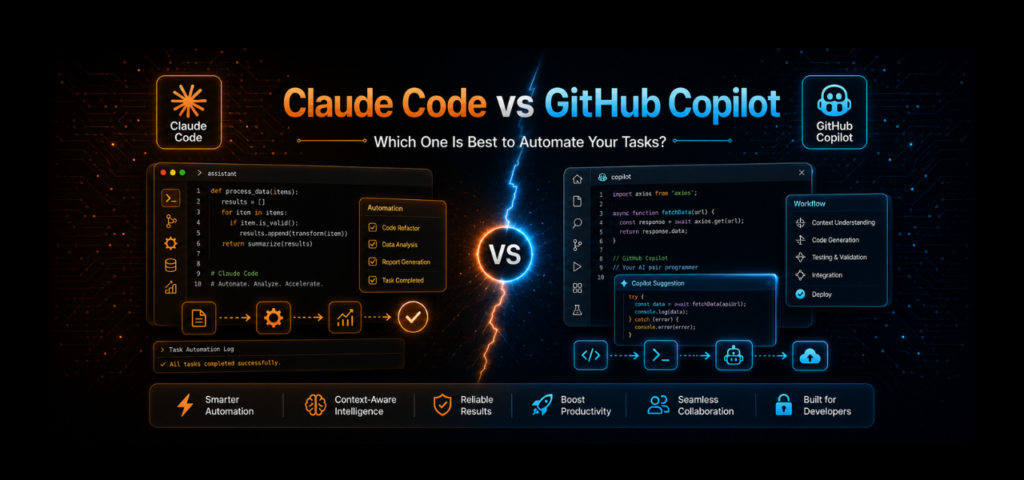
Claude Code is an autonomous coding agent that reads your entire repository, runs commands and tests, and ships multi-file changes with your approval at each step. GitHub Copilot started as an inline autocomplete engine inside your editor and has grown into a multi-model platform with agent mode, a CLI and deep GitHub integration.
What is Claude Code?
Claude Code is Anthropic’s agentic coding tool. It runs from the command line inside your project directory, and instead of finishing your sentences, it takes a goal and works toward it. It reads files, writes code, runs shell commands, executes tests, manages git operations and performs multi-file changes, pausing for approval at each meaningful step.
The design is agent-first. Describe a task like “migrate this REST API to GraphQL” and Claude Code reads the relevant files, plans the change, makes it, runs the tests and fixes what breaks.
It is no longer terminal-only. Through 2026 it added a VS Code extension, a JetBrains plugin, a desktop app with parallel sessions, and a web version. The terminal is still where it is most complete.
What is GitHub Copilot?
GitHub Copilot is the most widely adopted AI coding assistant. It launched in 2021 as an inline autocomplete engine, and that is still its most-used feature. As you type, it suggests the next line or block, and you accept with a keystroke.
By 2026 it includes agent mode, a command-line agent that reached general availability in February 2026, specialised agents for exploration and code review, pull request automation and multi-model support. It runs inside eight or more editors and integrates natively with GitHub, which is its biggest structural advantage.
Copilot is a platform rather than a single feature. It spans inline completion, chat, a CLI, cloud agents and code review, all tied into the workflow most teams already use.
The core difference: autocomplete engine vs autonomous agent
The comparison comes down to how each tool was born. GitHub built Copilot as an autocomplete engine first, with agent features added later. Anthropic built Claude Code as an autonomous agent from day one, with editor integrations added later.
That origin explains everything downstream. Copilot wants to live in your editor and speed up the code you are already writing. Claude Code wants to operate independently, walking your directory, running your tests, and completing whole tasks while you step away.
One accelerates your typing. The other removes the task from your hands. Neither posture is wrong, and they are built for different work.
Which is better for automating tasks?
The honest answer depends on what you mean by automation, because three different jobs hide inside that one word.
Automating multi-step, multi-file work
Claude Code is the stronger tool here. Refactoring a class to use dependency injection, migrating an API, or adding error handling across a module all require reading multiple files, making coordinated changes, running tests and fixing failures.
The reason is architectural. Claude Code loads your project into one large context window and reasons across the whole thing. It supports sub-agents, plan mode and shell access, so it can own a full refactor in a single session. If your task spans ten files and three systems, this is the natural fit.
Automating inside your GitHub workflow
Copilot wins here. It reviews pull requests, suggests commit messages, summarises diffs, and turns an issue into a draft pull request through agent mode. None of that requires leaving GitHub. If your team lives in pull requests and issues, Copilot automates that layer without changing how you work.
Automating repetitive in-editor coding
Copilot again, and comfortably. Inline autocomplete is its strongest feature, and Claude Code does not offer it at all. Scaffolding components, writing test stubs and filling in standard patterns happen as you type.
Context window and codebase understanding
Claude Code loads your project directory, session history and project instructions into a single context window of up to one million tokens on current models (as of September 2026). Most real codebases fit, though very large monorepos remain a challenge.
Copilot handles context through retrieval instead. It pulls in relevant repositories and documentation as needed, and persistent memory stores learnings across sessions. This scales to codebases too large for any single context window, at the cost of assembling context piece by piece rather than holding the whole picture.
For deep, codebase-wide automation the single large context is the advantage. For very large systems, retrieval has its own strengths.
IDE and platform support
Copilot wins on breadth. It runs in VS Code, Visual Studio, JetBrains editors, Neovim and more, with one-click install and near-zero setup. That low-friction surface is a large part of why its adoption numbers look the way they do.
Claude Code is terminal-first. It added VS Code and JetBrains support and a desktop app through 2026, but the terminal is still where it is most complete. For developers who live in the terminal that is a feature. For developers who never leave the editor it is a hurdle.
Pricing compared
Both products changed billing in 2026, so check the vendor pages before budgeting. Figures below verified September 2026.
| Plan tier | GitHub Copilot | Claude Code |
|---|---|---|
| Free | $0, limited completions and chat | Not included on the free plan |
| Entry paid | Pro, $10/mo (includes $15 in AI Credits) | Pro, $20/mo ($17 billed annually) |
| Mid tier | Pro+, $39/mo (includes $70 in credits) | Max 5x, $100/mo |
| Top individual | Max, $100/mo (includes $200 in credits) | Max 20x, $200/mo |
| Team | Business, $19/user/mo | Team Premium seat required for Claude Code |
| Enterprise | Enterprise, $39/user/mo | Enterprise, per-seat plus usage |
| Billing model | Usage-based AI Credits since June 1, 2026 | Subscription with shared usage pool |
Three things worth knowing before you compare the headline numbers.
Copilot’s credits meter agents and chat, not completions. Code completions stay unlimited on paid plans. Agent mode, chat, code review and the CLI draw down the credit pool at $0.01 per credit. That means a heavy agent user on Pro can spend well past $10 a month.
Claude Code is not sold separately. It draws from the same usage pool as your Claude subscription, so heavy chat use during the day leaves less room for coding sessions. On teams, the standard seat does not include it, so budget for the premium seat rather than the entry-level one.
Both vendors adjust allowances. GitHub has stated that credit allotments may change, and Anthropic layers a weekly cap on top of the five-hour session window. Neither plan is unlimited at any price.
Copilot agent mode vs Claude Code
Copilot’s agent has improved a lot and still tends to need more checkpointing on complex work. It handles bounded tasks well, like adding a unit test or fixing a type error in one file. It is supervised by design, asking before acting, which is safer and slower.
Claude Code’s agent goes further on open-ended work. It plans, executes, runs tests and iterates with less hand-holding. For a bounded task, Copilot’s agent is fast and safe. For a sprawling one, Claude Code is built to carry it further alone.
That difference is reported consistently by developers working with both, though we have not found a controlled public benchmark comparing them head to head. Treat it as practitioner consensus rather than measured fact, and test both on your own codebase before committing a team.
Copilot CLI vs Claude Code
Both live in the terminal now, which makes this closer than it used to be. Copilot’s CLI reached general availability in February 2026 and added specialised agents, background delegation to cloud agents, and multi-model support including Claude models.
The difference is depth versus breadth. Copilot’s CLI is part of a larger platform and leans on GitHub integration and model choice. Claude Code’s CLI is a deeper autonomous agent with sub-agents, plan mode and full shell access.
If you want terminal automation tied into GitHub with model switching, Copilot’s CLI fits. If you want the deepest autonomous execution, Claude Code leads. Our comparison of Gemini CLI and Claude Code covers the third option in this category.
Can you use both together?
Yes, and this is what most high-output teams do. The two operate at different layers with no conflict.
Developers run Copilot in the editor for moment-to-moment flow, completions, quick chat and pull request reviews, then Claude Code in the terminal for deliberate engineering like refactoring, debugging and feature branches. Copilot also supports Claude Code as a third-party agent, so running both is increasingly common.
The combined monthly cost is small next to the productivity difference for developers who learn where each one fits.
The part most comparisons skip
Picking the tool is the easy decision. Configuring it, wiring it into your actual systems, and building automation that moves the business rather than the code is the hard one.
These tools are powerful and they are still tools. Turning them into agents that handle outreach, workflows that route leads, and systems that run without you takes setup time most teams do not have. There is a real gap between installing an AI coding tool and having automation that saves hours every week.
That gap is what we close. Survyc is an AI-first digital agency, and we build automation and AI systems for businesses that would rather have the result than manage the tooling. It is the same work behind our white label WordPress development, and it is closely related to how AI visibility works for brands that want to be found by these tools rather than just use them.
Key takeaways
Claude Code is the stronger choice for autonomous, multi-file work: refactors, migrations, and anything that needs a plan executed across a codebase. Copilot is the stronger choice for inline completion and anything living inside GitHub, and it is cheaper and easier to start with.
They are not really competitors, and running both is the common answer. Copilot in the editor for flow, Claude Code in the terminal for heavy lifting.
On cost, read past the headline price. Copilot meters agents and chat through AI Credits, so heavy agent use raises the bill. Claude Code shares one usage pool with your Claude subscription, and team seats need the premium tier. Both vendors change allowances, so verify before you budget.
Frequently asked questions
Is Claude Code better than GitHub Copilot?
For autonomous, multi-step task automation, Claude Code is generally stronger because it reads your whole codebase and executes a plan across files. For inline autocomplete and GitHub-native workflows, Copilot is better. The right answer depends on the work, and many teams use both.
Is GitHub Copilot being replaced by Claude Code?
No. They serve different layers of the workflow. Copilot dominates inline completion and GitHub integration with a much larger installed base, while Claude Code leads on deep agentic tasks. Running both together is a common and effective setup rather than a compromise.
Can GitHub Copilot use Claude models?
Yes. Copilot supports multiple models including Claude models, switchable per task. That gives you Claude’s reasoning inside Copilot’s platform, though the agent scaffolding around it differs from Claude Code itself, which is where much of the autonomous behaviour comes from.
Which is cheaper, Claude Code or GitHub Copilot?
Copilot is cheaper to start, with a free tier and a $10 entry plan against Claude’s $20. Both meter heavy use, so the real answer depends on volume. Copilot bills agent and chat usage through AI Credits, and Claude Code shares a usage pool with your Claude subscription (as of September 2026).
Which is best for beginners?
Copilot is the easier starting point. It installs in one click, works inside familiar editors, and its supervised agent asks before acting. Claude Code has a steeper learning curve involving slash commands, permission modes and configuration files, which pays off on larger tasks.
Do teams really use both tools?
Commonly, yes. The usual pattern is Copilot in the editor for completions and pull request work, and Claude Code in the terminal for refactors and migrations. The two do not conflict, and the combined subscription cost is small compared with a developer hour.
Want automation without managing the tools?
Choosing between Claude Code and GitHub Copilot is a developer decision. Turning either one into automation that runs your business is a different job, and it is the one that usually stalls. If you would rather have tasks automated and working quietly in the background than spend weeks configuring agents, tell us what you want automated and we will map the fastest path to getting it running. Get in touch or email info@survyc.com.
