

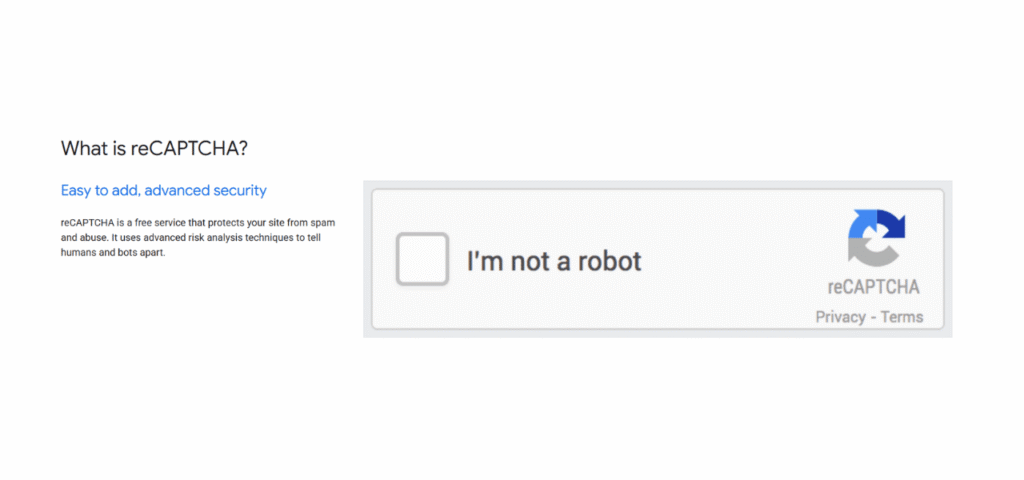
To stop contact form spam in WordPress, layer three invisible defences instead of adding a CAPTCHA: turn on your form plugin’s built-in honeypot and time check, add Cloudflare Turnstile, then add Akismet to filter message content. This blocks almost all spam without asking real visitors to prove they are human.
The instinct when spam starts arriving is to bolt a CAPTCHA onto the form and consider it handled. That instinct is what quietly costs businesses enquiries, because the same checkbox that annoys a bot also annoys a customer on a phone, on a VPN, or in another country. This guide covers what spam actually costs you, why it got worse in 2026, and how to build protection that visitors never see.
What contact form spam actually costs you
The junk in your inbox is the symptom, not the cost. Four things are happening underneath it.
Real enquiries get buried. When twenty spam submissions arrive daily, the genuine one at 6pm on a Friday gets skimmed past or deleted with the batch. That is a lost customer who thinks you ignored them.
Your time goes to sorting. Analysis of B2B form submissions in 2026 found roughly 42% come from bots or bad actors. For a team handling 200 enquiries a month, that is 84 fake contacts to open, read and delete.
Your systems carry the load. Every submission is processed by WordPress, stored in your database, and pushed through your mail service. Spam eats sending quota, bloats your database, and pollutes your CRM with fake leads that skew your numbers.
Your sending reputation suffers. Forms that forward spam content through your domain can damage your email deliverability, which means your real emails start landing in junk folders.
None of that shows up as a line item, which is exactly why it goes unaddressed for months.
Why form spam got worse in 2026
Two changes made this a bigger problem than it was three years ago, and both are worth understanding before you pick a fix.
Bots now write like people. Research found that by 2025 around half of spam messages were generated by AI rather than written by humans. Generic “buy cheap watches” text is easy to filter. A tailored message referencing your actual services is not.
The tooling got cheap. Security researchers at SentinelOne documented a framework called AkiraBot that ran for seven months, hit around 420,000 websites with AI-generated messages, and succeeded on more than 80,000 of them. The detail that matters for your decision: it defeated reCAPTCHA, hCaptcha and Cloudflare Turnstile.
Take the honest lesson from that rather than the despairing one. No single tool blocks everything, so anyone selling you one plugin as a complete answer is overpromising. Layered defences work, because each layer catches what the previous one misses, and the effort of getting through all three is more than most spam operations will spend on a small business site.
The mistake most people make first
The standard advice is “add reCAPTCHA,” and it is the wrong first move for a business that depends on enquiries.
CAPTCHA adds friction to your form for every visitor, and friction costs conversions. Practitioners who manage lead forms report checkbox-style CAPTCHA reducing form conversions by roughly 10% to 15%, and the losses are not random. They concentrate among mobile users, people on VPNs or private browsing, and international visitors, who get flagged as suspicious and challenged repeatedly. Some give up mid-form. You never hear from them and never know it happened.
There is a second issue that arrived this year. On 2 April 2026, Google changed how reCAPTCHA processes data in a way that places more GDPR responsibility on the website operator rather than on Google. Several European data protection authorities, including France’s CNIL, have published guidance flagging concerns about how anti-bot systems like reCAPTCHA handle visitor data. If you serve European visitors, that is now your compliance question to answer.
None of this means CAPTCHA is useless. It means it belongs later in the stack, not first, and that a lower-friction option usually does the same job better.
Understand what each defence actually does
This is the part most guides skip, and it explains why layering works while swapping one tool for another does not. These three are not alternatives to each other. They check completely different things.
| Defence | What it checks | Catches | Friction |
|---|---|---|---|
| Honeypot | Did a hidden field get filled in | Simple bots that fill every field | None |
| Time check | Was the form submitted impossibly fast | Automated bulk submitters | None |
| Turnstile / CAPTCHA | Does the visitor look automated | Smarter bots that skip honeypots | Low to high |
| Akismet | Does the message look like spam | Human spammers, AI-written content | None |
| Firewall | Is this traffic suspicious before it arrives | Bulk attacks, known bad sources | None |
A honeypot cannot tell you a message is spam. Akismet cannot tell you the visitor is a bot. Turnstile cannot read the content. Stacking three that overlap gives you little. Stacking three that check different things gives you coverage.
Step 1: Turn on what you already have
Before installing anything, open your form plugin’s settings. Every major form plugin now ships with anti-spam features, and on most sites at least one is switched off.
Contact Form 7 has no strong built-in protection, so it needs help from an add-on (see Step 2). WPForms includes modern anti-spam protection combining a honeypot, tokens and time-based checks, all invisible. Gravity Forms includes a honeypot and a submission speed check as core features. Elementor Forms and Fluent Forms both include honeypot options in their form settings.
Turn these on first and watch for a few days. On a small business site with a normal amount of traffic, the built-in options alone often cut spam substantially, and they cost nothing and add no friction. Only add layers if spam is still getting through.
Step 2: Add a honeypot and a time check
If your form plugin does not include these, add them. They are the highest return for zero friction anywhere in this guide.
A honeypot is a hidden field that real visitors never see because CSS hides it, but bots fill in because they complete every field they find. If that field has a value on submission, the submission is spam. It costs nothing, adds no load, and never inconveniences a real person. Reported catch rates vary between roughly 60% and 90% depending on the study and the sophistication of the bots hitting you, but everyone agrees it removes the bulk of automated junk.
A time check rejects submissions completed faster than a human could physically type. A real person takes at least several seconds to fill a contact form. A bot submits in under one.
For Contact Form 7 specifically, a dedicated honeypot add-on handles this. Most other builders have it in settings already.
Step 3: Add Cloudflare Turnstile instead of reCAPTCHA
If spam continues after Steps 1 and 2, add a visitor check. In 2026, Cloudflare Turnstile is the better default for most business sites.
Turnstile runs silently in the background using browser signals rather than image puzzles. Most visitors see nothing at all; in borderline cases they may click a single checkbox, but they are never asked to identify traffic lights. It is free at high volume (Cloudflare’s free tier covers up to a million requests a month), and it does not feed an advertising business, which makes the privacy and GDPR position considerably simpler than reCAPTCHA’s.
Setup is the same shape everywhere: create a free Cloudflare account, go to Turnstile, add your site, and copy the site key and secret key into your form plugin’s CAPTCHA settings. WPForms, Gravity Forms, Fluent Forms and Elementor Forms all support it, and free connector plugins cover Contact Form 7.
hCaptcha is the main alternative and is a reasonable choice, particularly if you need documented accessibility compliance.
Step 4: Add Akismet for message content
The final layer catches what the first three cannot: real humans paid to submit spam by hand, and AI-written messages that pass every behavioural check because there is no bot behaviour to detect.
Akismet reads the submission content and compares it against global spam patterns collected across millions of sites. It adds no friction whatsoever, since the visitor never interacts with it. Automattic reports very high accuracy for it, and it has been the WordPress default for two decades, which is genuinely relevant here because the value of a content classifier comes from the size of the corpus it learned on.
One practical note: Akismet is free for personal and non-commercial sites, and requires a paid plan for commercial use. For a business receiving enquiries, that is a small cost against the time spent sorting junk.
Most major form plugins have an Akismet integration in settings; switch it on once you have an API key.
Step 5: Match extra fixes to your actual spam pattern
If spam still arrives after four layers, stop adding generic tools and look at what the spam actually is. Different patterns need different answers.
- The same URL or phrase in every message: add a keyword or link filter in your form plugin. A visitor challenge will not help, because the sender may be human.
- Hundreds of submissions in a burst: rate limiting or a firewall is the right tool. Content filtering happens too late in the chain to help.
- Submissions from countries you do not serve: country filtering, available in most premium form plugins.
- Fake but plausible enquiries with disposable email addresses: email validation at the point of submission, which rejects known disposable domains.
- Only one form is affected: that form’s URL is on a spam list. Changing its field names or the form ID often ends it on its own.
Match the tool to the pattern rather than installing another general-purpose plugin.
Test that it actually works
Do not assume protection works because spam stopped for two days. Test it deliberately.
Akismet includes reserved test values: entering viagra-test-123 in a name field, or akismet-guaranteed-spam@example.com as the email, forces a spam classification. If your submission goes through as normal, the integration is not connected properly.
Then test the other direction, which matters more. Submit your own form as a real visitor would, on a phone, on mobile data rather than office wifi, and ideally in an incognito window. Confirm the message arrives. False positives are the expensive failure here. A blocked spammer costs you nothing. A blocked customer costs you a sale you will never know about.
Whatever you set up, check where blocked submissions go. Most plugins can hold them in a spam folder rather than deleting them, and reviewing that folder weekly for the first month tells you whether anything real is being caught.
What about reCAPTCHA? An honest answer
reCAPTCHA still works and is not a disaster. If you already run it and spam is under control and enquiries are healthy, you do not need to rip it out this week.
The case against making it your default in 2026 is threefold: it costs measurable conversions through friction and false positives, the April 2026 processing change puts more GDPR burden on you as the site operator, and AI-driven bots now defeat it anyway, which weakens the argument for accepting the friction. reCAPTCHA v3 removes the visible challenge by scoring visitors invisibly, which helps, but it is a black box, so legitimate visitors on VPNs or unusual setups can be penalised with no way for you to see why.
If you keep it, use v3 rather than the checkbox version, and pair it with a honeypot and a content filter so it is not doing the whole job alone.
Realistic expectations
Aim for near-zero spam with zero blocked customers, and understand that “near-zero” is the honest target. A layered setup of honeypot, time check, Turnstile and Akismet stops the overwhelming majority of what hits a small business site, and takes well under an hour to put in place.
What it will not do is hold forever without attention. Spam operations adapt, and a setup that worked perfectly last year may start leaking. Check your form submissions monthly, and if junk creeps back, work down the layers again rather than panic-installing something new.
Doing it yourself, or getting help
Most of this is genuinely a do-it-yourself job. Turning on built-in anti-spam settings, adding a honeypot, connecting Turnstile keys and enabling Akismet are all settings changes with no code, and an hour of careful work covers all four layers on a typical site.
Get help when the problem is not really about settings: when spam continues after a proper layered setup, when real enquiries have stopped arriving and you need to find out why, when submissions are hitting the server hard enough to slow the site, or when your form has stopped sending email entirely and you cannot tell whether it is a spam filter, your host or your mail configuration.
That kind of work is a small, well-defined job. It does not need an agency retainer, and any competent WordPress freelancer or small studio can do it as a fixed-scope task. Ask two questions before hiring anyone for it: how will you confirm real submissions still arrive afterwards, and will you show me where blocked messages are stored. Someone who only talks about blocking spam, and not about protecting genuine enquiries, is solving half your problem.
Conclusion
Contact form spam costs more than inbox annoyance: it buries real enquiries, consumes your time, pollutes your data and damages email deliverability. Do not start with a CAPTCHA, because visible challenges reduce form conversions by roughly 10% to 15% and hit mobile, VPN and international visitors hardest.
Layer invisible defences instead, since each checks something different: a honeypot and time check catch bulk bots, Cloudflare Turnstile catches smarter ones, and Akismet catches human and AI-written content. Turn on what your form plugin already includes before installing anything.
Test both directions, because a blocked customer costs far more than a blocked spammer. And accept that no setup is permanent, since AI-driven bots now defeat every major CAPTCHA on their own, which is exactly why layering beats searching for one perfect plugin.
Frequently Asked Questions
How do I stop contact form spam in WordPress?
Layer invisible protections rather than adding a CAPTCHA first. Turn on your form plugin’s built-in honeypot and time check, add Cloudflare Turnstile for visitor verification, and enable Akismet to filter message content. Each catches something the others miss, and none of them adds friction for real visitors.
Can I stop form spam without a CAPTCHA?
Yes, and for most business sites you should try that first. A honeypot field, a minimum submission time, and Akismet content filtering are all completely invisible to visitors and block the large majority of automated spam. Add a visitor challenge only if spam continues after those layers.
Is Cloudflare Turnstile better than reCAPTCHA?
For most business sites in 2026, yes. Turnstile runs invisibly without image puzzles, is free at high volume, and has a simpler privacy position, while reCAPTCHA adds friction that costs conversions and now places more GDPR responsibility on the site operator after Google’s April 2026 processing change.
Does reCAPTCHA hurt conversions?
Yes, measurably. Practitioners report checkbox-style CAPTCHA reducing form conversions by roughly 10% to 15%, with losses concentrated among mobile users, visitors on VPNs, and international visitors who get challenged repeatedly. Invisible protections achieve similar spam blocking without that cost.
Why am I still getting spam after adding CAPTCHA?
Because CAPTCHA checks whether the visitor looks automated, not whether the message is spam. Human spammers and AI-written submissions pass it easily. Add a content filter like Akismet alongside it. AI-driven bots have also been documented defeating every major CAPTCHA, which is why layering matters more than any single tool.
Will spam protection block real customers?
It can, which is the risk worth managing. Visible CAPTCHAs and aggressive filters produce false positives, especially for mobile and international visitors. Keep protections invisible where possible, store blocked submissions in a spam folder rather than deleting them, and test your own form from a phone after any change.
