

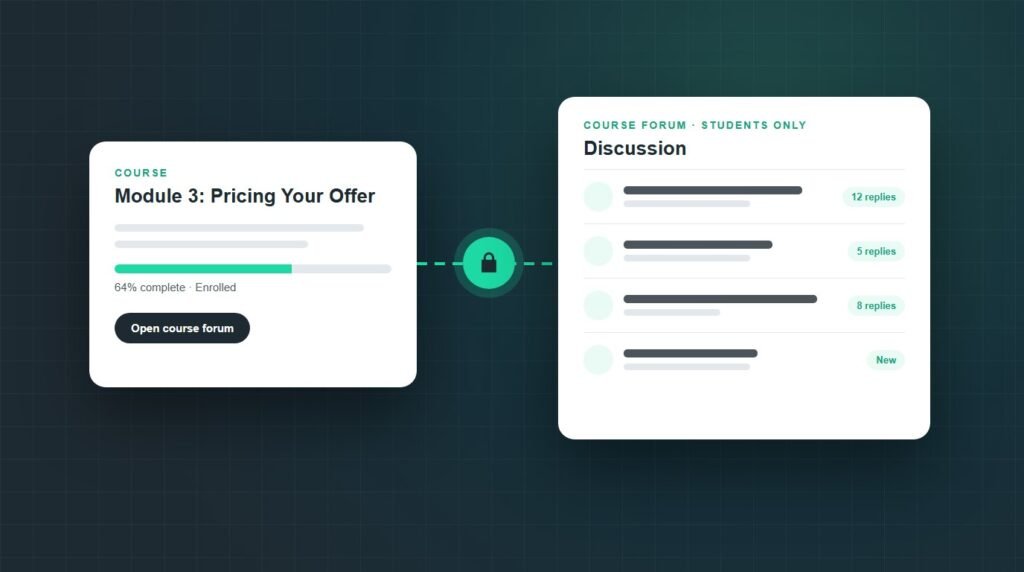
The best forum plugin for WordPress with LearnDash integration, for most course sites, is bbPress with LearnDash's free bbPress add-on. It ties each forum to a course or group, so enrolled students can post and everyone else is locked out or read-only. Choose BuddyBoss for a full social community, or wpForo for richer forum features.
The forum is where a LearnDash site either becomes a community or stays a video library. The plugin you choose decides whether forum access follows enrollment on its own, or whether someone adds and removes students by hand every week.
I compared the options on the one feature that matters most for a course site, course-aware access, using each vendor's own documentation and WordPress.org data as of September 2026.
What should a LearnDash forum plugin actually do?
A forum plugin works with LearnDash when access follows enrollment without manual work. Five things separate a real integration from a forum that merely sits on the same site:
Course-linked access: a forum opens for a student the moment they enroll in its course.
Automatic removal: access closes when enrollment expires or is revoked.
All or any rules: for bundles, you choose whether a student needs every linked course or just one.
A read-only preview: visitors can read discussions but not post, which works as a sales page for the course.
A link from the course: students find the forum from lessons and quizzes, not by hunting through a menu.
How the LearnDash forum plugins compare
Four options connect to LearnDash enrollment directly. Prices are the vendors' published figures as of September 2026, and installs come from WordPress.org:
bbPress with the LearnDash bbPress add-on
bbPress is the default choice because LearnDash maintains the integration itself. With the bbPress integration add-on, you attach a forum to one or more courses or LearnDash groups, and "any user who has access to that course/group will also have access to the forum."
It covers every point on the checklist. The Post Limit Access setting chooses between All and Any for multi-course forums, a view-only option lets non-enrolled visitors read without posting, and a Course Forum widget links the right forum from course, lesson, topic, and quiz pages.
How to connect bbPress to LearnDash
Install and activate bbPress from Plugins, Add New.
Go to LearnDash LMS, Add-Ons, and install bbPress for LearnDash. This needs an active LearnDash licence.
Create a forum under Forums, New Forum.
In the LearnDash bbPress Settings box, select the associated course or group, and set Post Limit Access to All or Any.
Optionally allow non-enrolled users to view the forum, and edit the message restricted users see.
Add the Course Forum widget to your course sidebar.
What bbPress will not do for you
bbPress is a forum and nothing more: no reactions, profiles, or activity feeds, and its WordPress.org rating sits at 3.9 out of 5. Open forums also attract spam registrations and topics, so plan protection before launch. The methods in our guide to stopping contact form spam apply to forum registration and new topics too.
BuddyBoss for a complete social learning platform
BuddyBoss turns a LearnDash site into a social network. Its integration shows each student's courses and progress on their profile, posts enrollments and completions to activity feeds, and syncs LearnDash Groups to BuddyBoss social groups, each with its own feed, forum, and messaging.
That last point shapes how you plan it. BuddyBoss attaches forums to groups, so course-level forums work best when every course or cohort has a matching LearnDash Group. The LearnDash integration is only included from the Launch plan upward: $199 for the first year, renewing at $399. The entry Start plan does not include it.
A full social network does more work on every page load than a forum alone, so budget for hosting that can carry it. If an existing BuddyBoss site already feels sluggish, our guide to fixing a slow WordPress website covers where to start.
wpForo with the LearnDash wpForo add-on
wpForo is the strongest pure forum here, with several forum layouts and built-in moderation, and it holds a 4.7 out of 5 rating on WordPress.org. It has no LearnDash integration of its own; the connection comes from a separate paid add-on called LearnDash wpForo.
The add-on gates forums by enrollment, attaches one or several courses to a forum with All or Any rules, offers read-only access for visitors, and adds a course forum widget. As of September 2026 it costs $29 a year for one site, and its latest version (1.8.2) was updated in April 2026.
FluentCommunity for spaces instead of forums
FluentCommunity organises discussion into spaces rather than classic threaded forums. Its access management links FluentCRM tags to spaces, so when LearnDash enrollment applies a tag, the student joins the matching space, and removing the tag removes them.
This needs FluentCommunity Pro and FluentCRM together, so it suits sites already using FluentCRM for email. It is also the newest option, with 8,000+ installs and a 4.9 rating, and it includes its own course builder, which is worth weighing if you are still choosing an LMS.
Forum plugins that do not integrate with LearnDash well
These come up in every list, but none of them connects forum access to LearnDash enrollment on its own.
Asgaros Forum
Light and well rated (4.8 out of 5), but it has no LearnDash integration. You would assign students to its user groups by hand or through an automation plugin.
PeepSo
Its documented LearnDash integration adds students to course groups automatically. The community is built around activity streams and groups, so it suits social features more than structured Q&A.
Discourse
A strong standalone forum, connected through the WP Discourse plugin for login and comments. That plugin has no LearnDash integration, so syncing enrollment needs custom code or an automation tool.
Which LearnDash forum plugin should you choose?
Start from what the site needs, not from the longest feature list:
Whichever you pick, install it on a staging copy first and enroll a test student before going live. Forum and LMS plugins share user roles and access rules, and a conflict there shows up as students locked out of content they paid for. If something breaks after an update, here is how to find the plugin that stopped working.
Key takeaways
The best forum plugin for WordPress with LearnDash integration depends on what you are building. For course discussion boards, bbPress with the free LearnDash add-on is the safest choice, because LearnDash maintains the integration and access follows enrollment automatically.
Pick BuddyBoss when you want a full social community and can budget for the Launch plan at renewal price, wpForo when forum quality matters most, and FluentCommunity when FluentCRM already runs your automation. Test the enrollment flow on staging before students ever see it.
Frequently asked questions
Does LearnDash have a built-in forum?
No. LearnDash does not include a discussion forum of its own. Instead, it offers an official bbPress integration add-on that links bbPress forums to courses and LearnDash groups, so students who have access to a course can post in its forum automatically.
Is the LearnDash bbPress integration free?
Yes. The bbPress integration is a free add-on for LearnDash customers. You install it from LearnDash LMS, Add-Ons, which requires an active LearnDash licence, or download it from your LearnDash account and upload it. bbPress itself is also free on WordPress.org, so the whole setup costs nothing extra.
How do I restrict a bbPress forum to one LearnDash course?
Install bbPress and the bbPress for LearnDash add-on, then edit the forum. In the LearnDash bbPress Settings box, select the course under Associated Courses and update the forum. Only users with access to that course can then post, and you can allow others to view.
Does BuddyBoss work with LearnDash?
Yes. BuddyBoss shows course progress on member profiles, posts course activity to feeds, and syncs LearnDash Groups with social groups that include a forum. As of September 2026, the LearnDash integration is included from the Launch plan upward, not in the entry Start plan.
Can students read a course forum before enrolling?
Yes, with the right settings. The LearnDash bbPress add-on has an option that lets non-enrolled users view a forum without posting, and the LearnDash wpForo add-on offers read-only access for visitors. A readable forum can work as social proof for the course.
Can I use wpForo with LearnDash?
Yes, through a separate paid add-on called LearnDash wpForo. It gates forums by course enrollment, supports All or Any rules for several courses, and adds read-only access and a course forum widget. As of September 2026, it starts at $29 a year for one site.
Want your LearnDash community set up properly?
Survyc is an AI-first digital agency. We connect forums to LearnDash, set access rules for courses, bundles, and cohorts, and test the full enrollment flow on staging before students see it. Our WordPress customization work covers the build.
Agencies building LMS sites for clients can hand us the work white label. Tell us which forum plugin you are leaning towards, or email info@survyc.com, and we will help you choose the best forum plugin for WordPress with LearnDash integration for your site.
Talk to usLast reviewed: September 2026. Prices, plans, and install counts come from each vendor and WordPress.org and change often, so this guide is reviewed every quarter.
