

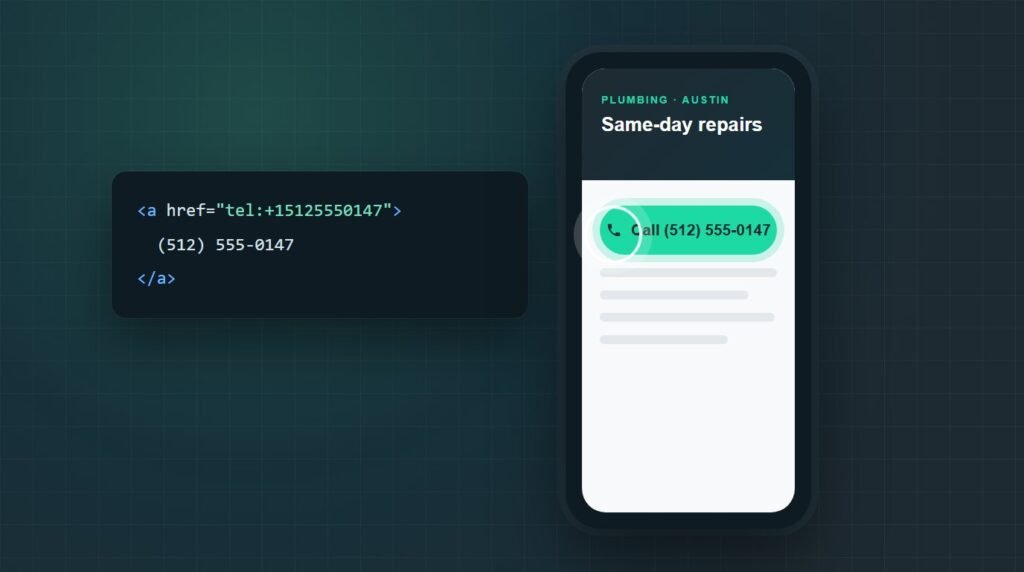
To make a clickable phone number in WordPress, turn the number into a tel: link. Select it in the editor, press Ctrl+K (Cmd+K on a Mac), type tel: followed by the number with its country code and no spaces, such as tel:+15125550147, and press Enter. Visitors on a phone tap it to start the call.
Every service page on this site has a click-to-call button near the top, because most local traffic arrives on a phone and nobody wants to copy a number by hand.
The link itself is one line of text. What most sites get wrong is the format, the places the number appears, and knowing how many calls it actually produces. This guide covers all three.
Pick the method that fits where the number goesWhat is the right format for a tel: link?
Write the link as tel:, a plus sign, the country code, and the number, with no spaces: tel:+15125550147. The tel URI standard (RFC 3966) does not allow spaces, and the country code makes the link work for visitors calling from abroad.
The link and the text visitors see are separate. Keep the link as plain digits, and show the number however reads best on the page:
You can drop the // some tutorials put after tel:, since it is not part of the standard. For an extension, the standard uses ;ext=, as in tel:+15125550147;ext=12, but phones handle it differently, so test it on the devices your customers use.
How to make a phone number clickable in the block editor
The block editor handles tel: links like any other link, and WordPress has allowed the tel: protocol since version 4.3, so the link survives saving for every user role.
Type the phone number into a paragraph, then select it.
Press Ctrl+K (Cmd+K on a Mac), or click the link icon in the toolbar.
Type tel:+15125550147 using your own number, and press Enter.
Update the page, then tap the number on your phone to test it.
For a proper call button, add a Buttons block, write the label (for example, "Call (512) 555-0147"), and paste the same tel: link into its link field. A button is easier to tap than a line of text, especially near the top of a page.
How to add a clickable phone number with HTML
Anywhere WordPress accepts HTML, paste the link directly. That covers the Classic Editor's Text tab, a Custom HTML block, and footer or sidebar widgets:
Put the number itself in the link text rather than only "Call us". Visitors on a desktop can still read and dial it, and a screen reader announces the actual number.
How to add a clickable phone number to your WordPress menu
A phone number in the header is the one place every visitor sees. How you add it depends on whether your theme uses classic menus or the Site Editor.
Classic themes: Appearance, Menus
Go to Appearance, Menus, and open the Custom Links panel.
Enter tel:+15125550147 in the URL field and the number as the link text.
Click Add to Menu, drag it into place, and save the menu.
Block themes: the Navigation block
Open Appearance, Editor, select the header, and click the plus inside the Navigation block. Choose Custom Link, type the tel: link, and press Enter, then edit the label to show the number. Save the template when you are done.
How to add a click-to-call button in Elementor
Elementor's link fields accept tel: links the same way the block editor does. Drag in a Button widget, set the text to "Call (512) 555-0147", and type tel:+15125550147 into the Link field.
The Icon List widget works well for a header or contact strip: add a phone icon, the number as the text, and the tel: link on that item. The new Elementor V4 button accepts the same link in its link settings.
Give the button enough room to tap. A minimum of about 44 by 44 pixels keeps it usable on a phone, and a contrasting color stops it blending into the header. If your Elementor layout needs more than a button, our Elementor services cover landing pages built around calls.
How to show one phone number everywhere with a shortcode
If the number appears in many places, a shortcode lets you change it once and update the whole site. Add this to your child theme's functions.php, with your own number in the two default values:
function mysite_phone_shortcode( $atts ) {
$atts = shortcode_atts(
array(
'number' => '+15125550147',
'text' => '(512) 555-0147',
),
$atts,
'phone'
);
$dial = preg_replace( '/[^0-9+]/', '', $atts['number'] );
return sprintf(
'<a href="%s" class="phone-link">%s</a>',
esc_url( 'tel:' . $dial ),
esc_html( $atts['text'] )
);
}
add_shortcode( 'phone', 'mysite_phone_shortcode' );
Then type [phone] in any Shortcode block, Elementor Shortcode widget, or text widget, or [phone text="Call us now"] to change the label. I tested the function on PHP 8.3: it strips spaces and brackets from the dialed number and escapes the label, so a stray tag in the text cannot break the page.
How to add text message and WhatsApp links
Some customers would rather text than call. WordPress has allowed sms: links since version 5.3, according to its list of allowed protocols, and WhatsApp uses a normal web link:
<a href="https://wa.me/15125550147">Message us on WhatsApp</a>
Note the difference: the WhatsApp link drops the plus sign and uses only digits, country code first. Adding a plus or spaces there breaks the link.
How to track clicks on your phone number
Google Analytics 4 does not report tel: clicks reliably on its own, so set up a click event in Google Tag Manager. It takes about ten minutes and turns "the phone rings more" into a number you can compare month to month.
In Tag Manager, enable the built-in Click URL variable.
Create a trigger of type Click, Just Links that fires when Click URL starts with tel:.
Create a GA4 event tag named phone_click, attach the trigger, and add Click URL as a parameter.
Open Preview in Tag Manager, tap the number on your site, and confirm the event appears in GA4 DebugView before publishing.
Mark phone_click as a key event in GA4 so it counts as a conversion.
A click is not a completed call, since someone can tap and hang up. Treat the event as intent, and compare it with your actual call logs. If calls stay flat while traffic grows, our checklist for a website that is not generating leads is the next place to look.
Why is my phone number not clickable?
Most broken phone links come down to one of these three causes.
The link saves but does nothing when tapped
Check the page source for the href. Spaces, brackets, or a missing tel: prefix break the link, and so does a number typed with letters. Replace it with plain digits after the plus sign.
iPhone turns other numbers into links
Safari on iOS links anything that looks like a phone number, including order numbers and prices. Apple's format-detection meta tag turns that off: add <meta name="format-detection" content="telephone=no"> to the head, and your own tel: links keep working.
Nothing happens on a desktop computer
A desktop needs a calling app registered for tel: links, such as FaceTime on a Mac or Phone Link on Windows. That is normal, which is why the visible link text should always show the full number.
Does a clickable phone number help SEO?
Google has not said that tel: links affect rankings. What does matter for local search is that the number is identical on your site, your Google Business Profile, and every directory. Our guide to entity SEO explains why matching details help Google trust who you are.
Mismatched details also make a business harder for AI assistants such as ChatGPT to describe with confidence; here is why a business does not show up in AI answers. A quick WordPress site audit catches old numbers still sitting in footers and widgets.
Key takeaways
To make a clickable phone number in WordPress, link it with tel: plus the full number, country code included and no spaces. The block editor, menus, Elementor, and HTML widgets all accept the same link, and a shortcode keeps one number consistent across the whole site.
Then measure it. A Tag Manager trigger on tel: clicks shows how many visitors try to call, and checking that the number matches your Google Business Profile protects your local listings.
Frequently asked questions
How do I make a phone number clickable in WordPress without a plugin?
Select the number in the block editor, press Ctrl+K, type tel: followed by the number with its country code and no spaces, and press Enter. The same tel: link works in Buttons blocks, Custom HTML blocks, menus, and Elementor link fields, so no plugin is needed for any of them.
What is the correct format for a tel: link?
Use tel:, a plus sign, the country code, and the number with no spaces, such as tel:+15125550147 for a US number. Spaces are not allowed in the link, while the text visitors see can be formatted however you like, for example (512) 555-0147.
Can I add a clickable phone number to the WordPress menu?
Yes. In a classic theme, go to Appearance, Menus, open Custom Links, and enter the tel: link with the number as the link text. In a block theme, open the Site Editor, add a Custom Link to the Navigation block, and type the tel: link there.
How do I add a click-to-call button in Elementor?
Add a Button widget, set its text to something like "Call (512) 555-0147", and type tel: followed by your full number into the Link field. The Icon List widget accepts the same link for a phone number in a header or contact strip, and so does the new Elementor V4 button.
How do I track phone number clicks in Google Analytics 4?
Create a Google Tag Manager trigger of type Click, Just Links that fires when Click URL starts with tel:, then send a GA4 event such as phone_click. Mark that event as a key event in GA4. It measures taps on the number, not completed calls.
Why does my iPhone turn numbers on my site into links?
Safari on iOS automatically links anything that looks like a phone number. Add a meta tag named format-detection with the content telephone=no to your site's head to turn that off. Your own tel: links keep working, because they are real links rather than detected text.
Want calls tracked properly, not just clickable?
Survyc is an AI-first digital agency. We add click-to-call buttons where visitors actually look, set up call tracking in Tag Manager and GA4, and make sure your number matches everywhere it is listed. Our WordPress customization work covers the build side.
If the goal is more calls from search, our WordPress SEO service starts with your local listings and service pages. Send us your URL, or email info@survyc.com, and we will show you how to make a clickable phone number in WordPress work harder for you.
Talk to usLast reviewed: September 2026. Shortcode tested on PHP 8.3. WordPress, Elementor, and Google Analytics menus change between versions, so this guide is reviewed every quarter.
