Skip to content
Home
Page Builders
Elementor
Divi
Beaver Builder
WPBakery
WordPress
Website Development
Speed Optimization
Bug Fixes
Customization
Maintenance
Installation Setup
SEO
Security
Malware Removal
For Agencies
White Label Development
White Label Support
White Label Redevelopment
White Label Site Takeover
White Label AI Visibility
About Us
Home
Page Builders
Elementor
Divi
Beaver Builder
WPBakery
WordPress
Website Development
Speed Optimization
Bug Fixes
Customization
Maintenance
Installation Setup
SEO
Security
Malware Removal
For Agencies
White Label Development
White Label Support
White Label Redevelopment
White Label Site Takeover
White Label AI Visibility
About Us
Contact us
Home
»
Blog
The Survyc blog
WordPress and AI Visibility Guides
Step-by-step fixes, how-tos, and agency guides from real WordPress work. Written by Arslan Ijaz, tested on live sites, and updated when things change.
Search
Latest guide
Featured guide
How To
,
WordPress
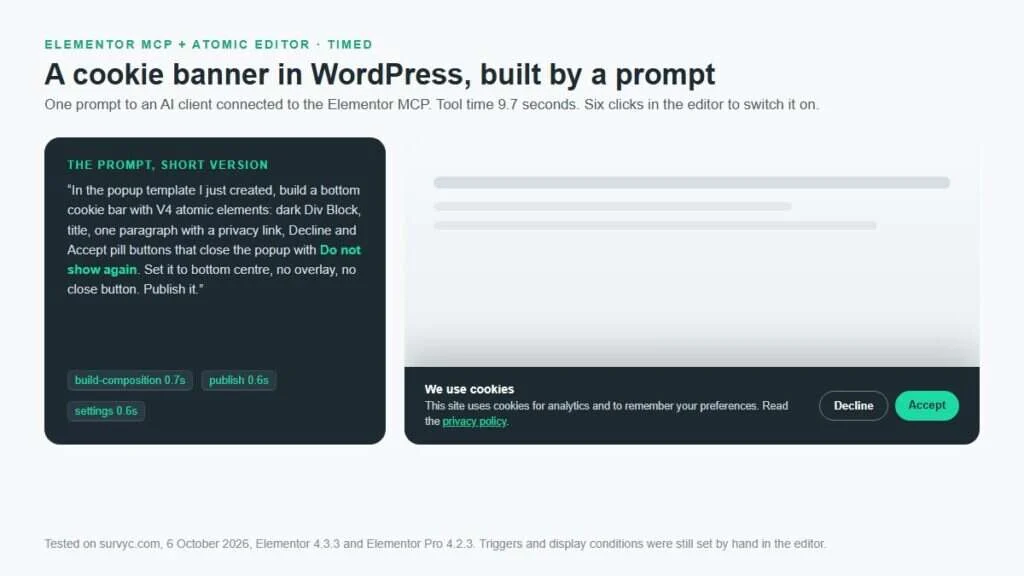
I Added a Cookie Banner in WordPress With Elementor MCP and the Atomic Editor in a Few Clicks (Timed)
I added a cookie banner in WordPress with Elementor MCP by having an AI client build an Elementor Pro popup from atomic elements: 9.7 seconds of tool time, one layout fix, then six clicks
Arslan Ijaz
Oct 6, 2026
Read the guide
Start here
The guides most people need first
My site was hacked
What to do in the first hour, then how to clean it.
Read the guide →
What will a fix cost?
How WordPress repair is priced and what drives the number.
Read the guide →
Outsourcing as an agency
Models, costs, vetting, and keeping the client yours.
Read the guide →
Getting found in AI answers
What AI visibility is and how to improve it.
Read the guide →
Every article
All guides
How To
New Updates
SEO/AEO/GEO
WordPress
All guides
How To
,
WordPress
Does My WordPress Site Need a Redesign or Just a Fix?
A broken form, slow homepage, or outdated section does not automatically mean your WordPress website needs a full redesign.
Arslan Ijaz
Sep 1, 2026
How To
,
WordPress
How to Secure a WordPress Site: What Actually Matters First
To secure a WordPress site, start where the attacks actually come from.
Arslan Ijaz
Aug 31, 2026
WordPress
WordPress Site Hacked? What to Do, From the First Hour to a Clean Site
If your WordPress site is hacked, here is what to do: take it offline, preserve a full snapshot as evidence, rotate every
Arslan Ijaz
Aug 30, 2026
WordPress
Fix the WordPress 403 Forbidden Error
A 403 Forbidden error means the server or an intermediary such as a firewall understood your request but is refusing access.
Arslan Ijaz
Aug 29, 2026
How To
WooCommerce Product Images Not Showing
WooCommerce product images not showing is a common issue that can be caused by missing thumbnails, broken image URLs, caching, CDN problems,
Arslan Ijaz
Aug 28, 2026
How To
How Much Does It Cost to Fix a WordPress Website?
The cost to fix a WordPress website ranges from $15 for a small cosmetic issue to $3,000 or more for a serious
Arslan Ijaz
Aug 28, 2026
How To
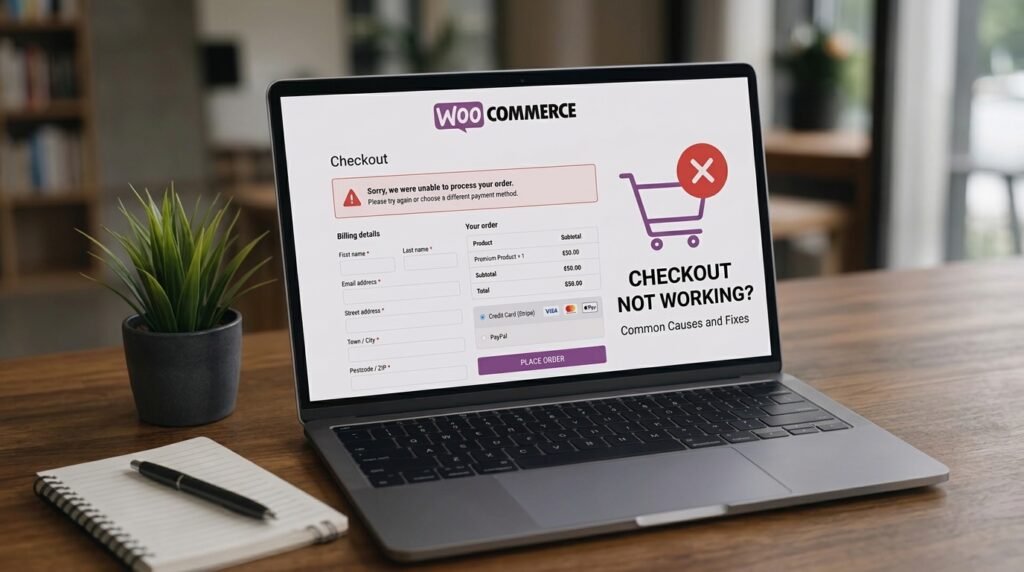
WooCommerce Checkout Not Working Fixing Common Errors
A broken WooCommerce checkout usually comes down to a plugin conflict, a payment gateway setting, a theme problem, or a missing webhook.
Arslan Ijaz
Aug 27, 2026
New Updates
Speed Up WooCommerce Checkout
To speed up WooCommerce checkout, first identify whether your store uses the newer Checkout Block or the Classic shortcode checkout.
Arslan Ijaz
Aug 26, 2026
WordPress
WordPress Staging Site: How to Test Changes Safely in 2026
A WordPress staging site is a private copy of your live site where you can update plugins, switch themes, or test code
Arslan Ijaz
Aug 25, 2026
← Previous
Page
1
…
Page
3
Page
4
Page
5
Page
6
Page
7
…
Page
9
Next →
Stuck on something these guides do not cover?
Send us the URL and what is going wrong. You will get a straight answer on the cause and the fix before anyone talks about money.
Ask Survyc
Get an Expert
Name
Email
Tel
Services
Website SEO
Website AEO & GEO
Website Revamp
Website Small Edits
Website Bug Fixes
Website Maintenance
Website Management
Website Security
Select Service
Message
Send message